Best product designer for apparel on Shopify (2027)
Eight product designers for apparel on Shopify compared by print areas, print-ready files, team orders, and print-on-demand connections.
 Martin Frank
A print-on-demand gift shop and a screen printer can type the same search and need opposite tools. The gift shop wants templates and an automatic handoff to its fulfillment partner. The screen printer wants a price per ink color and a size list with a name on every shirt.
That is why there is no single best product designer for apparel. There are three kinds of apparel merchants, and each has a different winner.
A product designer for apparel is a Shopify app that lets shoppers design their own t-shirt, hoodie, or jersey in your store. They add text, upload artwork, place it on the garment, and see a preview before they buy. Shopify apps of this kind are also called product customizers or product personalizers. A product designer is not design software like Canva, and it is not a print-on-demand catalog.
We compared eight Shopify apps for custom t-shirts, hoodies, and teamwear. The comparison covers what apparel stores depend on: print areas, print-ready files, pricing rules, team orders, and print-on-demand connections.
Disclosure: Chamevo makes Fancy Product Designer. We list it first for the use case it is built for, and we say where another tool fits better.
Prices, ratings, and features last checked: November 16, 2026.
Quick answer: the best product designer for apparel on Shopify
The best product designer for apparel on Shopify depends on how you produce your garments.
- Best for in-house production with direct-to-film (DTF), direct-to-garment (DTG), or sublimation printing: Fancy Product Designer. It creates a separate print-ready file for each print area and holds 4.9 stars from 50 reviews on the Shopify App Store.
- Best for screen printing and team orders: Inkybay. It prices by ink color, design size, and print position, and includes names and numbers in every plan from $19.99 per month.
- Best for print-on-demand: Teeinblue. It sends personalized t-shirt and hoodie orders to 11 print-on-demand providers, including Printful, Printify, and Gelato.
- Best free plan: DORO Custom Product Designer. Its Lite plan is free for up to five products in a live store.
Best product designer for apparel: 8 tools at a glance
| Tool | Best for | Starting price | Free plan | Rating (reviews) |
|---|---|---|---|---|
| Fancy Product Designer | In-house production (DTF, DTG, sublimation) | $30/month | No, 14-day trial | 4.9 (50) |
| Inkybay | Screen printers and team orders | $19.99/month | No, 21-day trial | 4.5 (169) |
| Teeinblue | Print-on-demand sellers | $49/month plus a fee per order item | Development stores only | 4.9 (396) |
| Customily | Print-on-demand across several sales channels | $49/month plus a fee per order item | Development stores only | 4.9 (280) |
| DORO Custom Product Designer | Free plan and lowest entry price | $0, paid from $9.99/month | Yes, up to five products | 4.7 (176) |
| Zakeke | 3D and embroidery previews | $69.90/month plus 1.9% | Development stores only | 4.5 (99) |
| Kickflip | Multi-part garments | $59/month plus up to 1.95% | No, 14-day trial | 4.3 (139) |
| Qstomizer | Low cost without order limits | $9.99/month | No, 15-day trial | 4.7 (119) |
Source: Shopify App Store listings and vendor pricing pages, checked November 16, 2026.
What an apparel store needs from a product designer
Most app comparisons list features. For apparel, five of them decide whether a product designer fits your production.
Print areas: chest, back, and sleeves
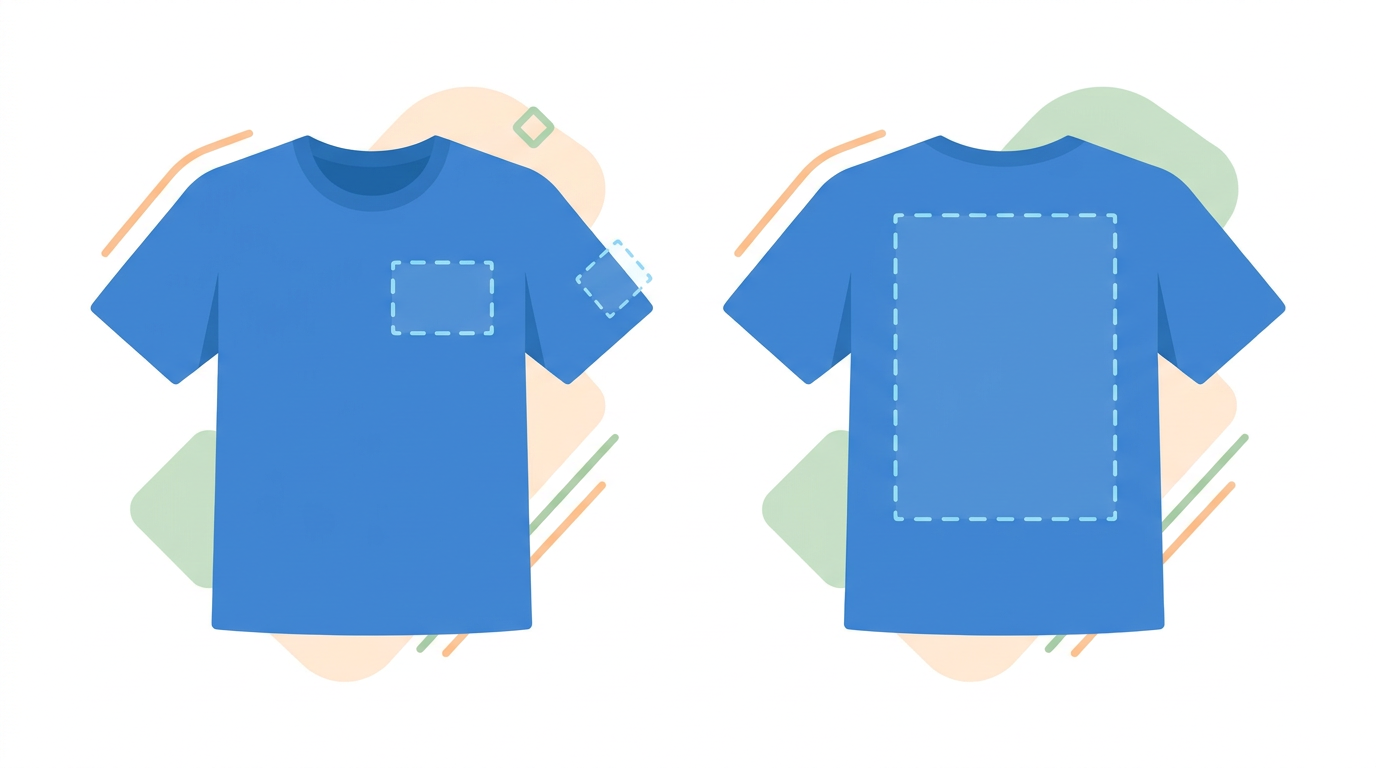
Every print position is its own job. A left-chest logo and a full back print need two files, often at two prices. A product designer for apparel should let you define each area separately and keep customers inside the printable zone.
Check plan limits here. Inkybay, for example, ties the number of print sides to the plan: two, four, or unlimited.
Print-ready files for your print method
What "print-ready" means depends on how you print:
- DTF and DTG: a transparent PNG at final print size, usually 300 dots per inch (DPI)
- Screen printing: vector files such as SVG or PDF, so colors can be separated
- Sublimation: a full-size file with bleed
- Embroidery: a digitized stitch file, which is a separate step from the customer's design
None of the eight listings we checked mentions embroidery machine files such as DST or PES. If you embroider, ask the vendor how the customer's design becomes a stitch file before you commit. Our Shopify product customizer guide explains how print-ready files work, including bleed and automatic file delivery.
Pricing by color, print area, and quantity
Screen printers calculate per ink color and per position, and the price per piece drops with quantity. DTF shops often price by print size. A fixed surcharge for "custom design" does not cover either model.
Look for pricing rules that react to what the customer designs, plus quantity discounts for bulk orders.
Team orders with names and numbers
Teamwear means one design across many sizes, with a different name and number on each piece. Without a dedicated feature, your customer fills in a spreadsheet and you type it all in again.
Four tools in this comparison document a names and numbers feature: Inkybay, Fancy Product Designer, Zakeke, and Qstomizer.
Print-on-demand connections
If a partner prints for you, the order and the design file should reach that partner without manual work. Teeinblue and Customily each connect to more than ten providers. Other tools connect to one or two, or to none.
How the eight tools compare
"Not listed" means the Shopify listing and the vendor site do not mention the feature. It does not prove the feature is missing.
| Tool | Multiple print areas | Print-ready files | Names and numbers | Pricing by color or area | Print-on-demand |
|---|---|---|---|---|---|
| Fancy Product Designer | Yes | Yes (PDF, PNG, SVG) | Yes | Yes (color-based) | Printful |
| Inkybay | Yes (2, 4, or unlimited by plan) | Yes (PDF, SVG, JPG, PNG) | Yes (all plans) | Yes (color, square inch, position) | Not listed |
| Teeinblue | Not listed | Yes | Not listed | Not listed | 11 providers |
| Customily | Not listed | Yes | Not listed | Not listed | 12 providers |
| DORO | Yes (Growth plan and up) | Yes (vector from Growth) | Not listed | Surcharges for text, images, and clipart | Printful, Printify |
| Zakeke | Not listed | Yes | Yes (per help center) | Not listed | Printful, CustomCat |
| Kickflip | Not listed | Yes (per vendor site) | Not listed | Not listed | Not listed |
| Qstomizer | Yes | Not listed | Yes ("Numbers") | Yes (price rules) | Yes, providers not named |
Source: Shopify App Store listings and vendor websites, checked November 16, 2026.
The 8 best product designers for apparel on Shopify
Each of these eight Shopify apps works as a t-shirt designer for an online store: shoppers design the garment in your store, and you receive the order with the design attached.
1. Fancy Product Designer: best for in-house production
Fancy Product Designer by Chamevo is a custom apparel designer for merchants who print their own garments. It carries the Built for Shopify badge and holds 4.9 stars from 50 reviews on the Shopify App Store. Each print area becomes its own print-ready file, so an order goes from the customer's design to your printer without file fixing.
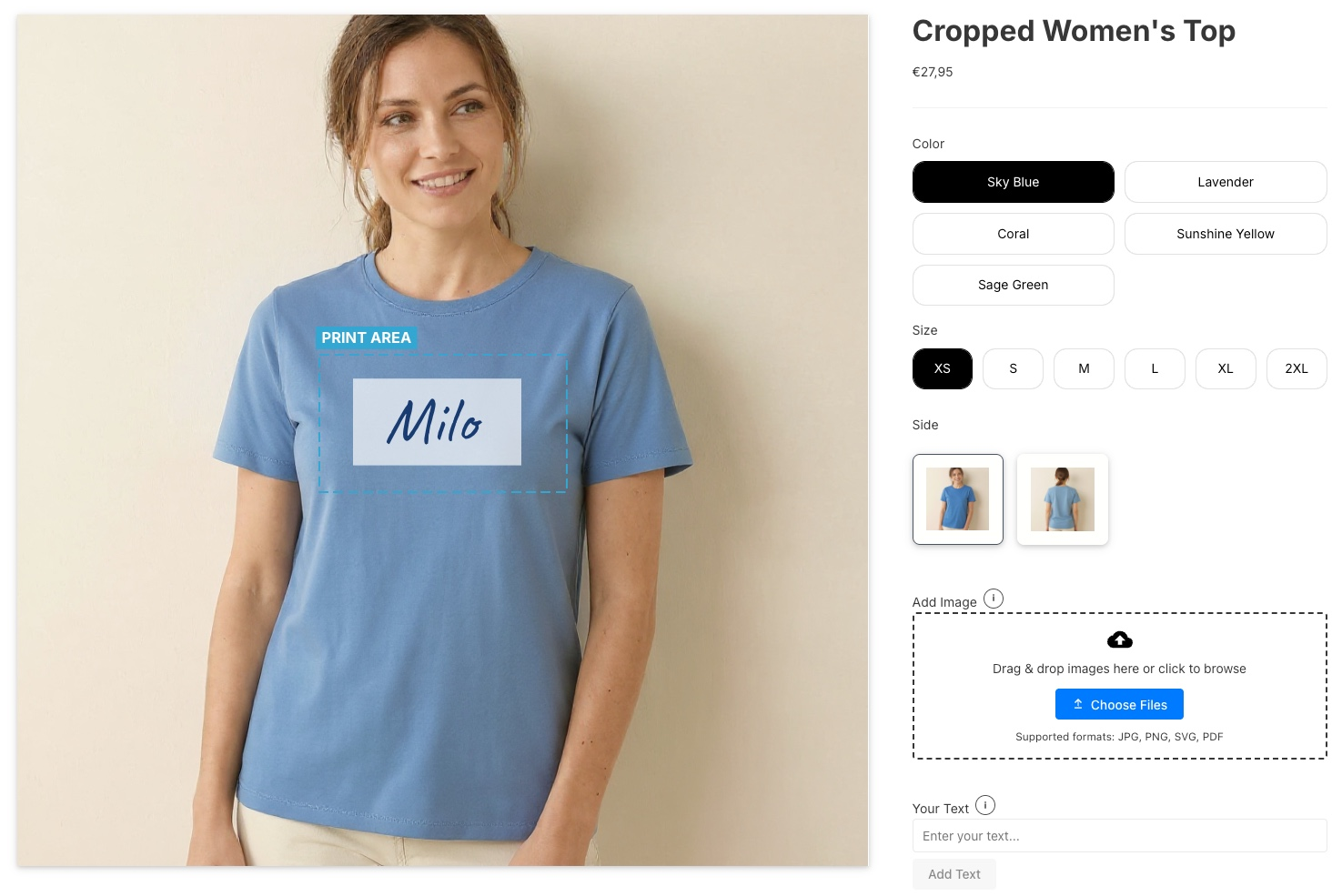
Price: Basic costs $30 per month (40 orders, 10 products). Professional costs $50 (150 orders, 50 products), Premium $120 (1,000 orders, 250 products), and Unlimited $290. All plans start with a 14-day trial.
Apparel features:
- Print areas for front, back, sleeves, and collar, each with its own print file
- Print-ready PDF, PNG, and SVG with resolution and color profile settings
- A names and numbers module and bulk variations for size and color combinations
- Color-based and dynamic pricing rules, plus bulk pricing
- A Printful connection for print-on-demand orders
- AI background removal and upscaling for customer uploads
- 3D visualization for t-shirts and jerseys
- Automatic file delivery to Dropbox and AWS S3
Limits: Plans cap orders and products, so check which tier matches your volume. Printful is the only print-on-demand connection. There is no color separation for screen printing. With 50 reviews, the review base is much smaller than Teeinblue's or Customily's.
Choose it if you run DTF, DTG, or sublimation in-house and want a finished file per print area.
Skip it if you fulfill through several print-on-demand providers, or if your screen printing prices depend on setup fees per color and position.
See how the apparel product designer handles print zones and decoration methods.
2. Inkybay: best for screen printers and team orders
Inkybay ‑ Product Personalizer is the strongest choice for screen printing on Shopify. Its pricing engine follows the way screen printers calculate.
Price: Starter costs $19.99 per month (10 products, 30 orders, two print sides). Advance costs $49.99 (100 products, 200 orders, four print sides), Professional $99.99 (unlimited print sides), and Unlimited $249.99. The trial runs 21 days. Inkybay charges no commission.
Apparel features:
- Pricing by number of ink colors, design size per square inch, and print position, as described in the Inkybay pricing documentation
- Surcharges per name and per number, included in every plan
- Quantity discounts in every plan
- Print-ready PDF, SVG, JPG, and PNG
- Support for DTF, screen printing, DTG, sublimation, and embroidery, according to the listing
Limits: The Starter plan allows two print sides, so a shirt with front, back, and sleeve prints needs the Advance plan. The listing names no print-on-demand connection. The rating of 4.5 from 169 reviews is below most tools in this comparison; only Kickflip rates lower.
Choose it if you screen print or sell teamwear and need the price to follow color count and position.
Skip it if you fulfill through print-on-demand.
3. Teeinblue: best for print-on-demand sellers
Teeinblue Product Personalizer is a personalizer for print-on-demand stores. It creates production files and sends personalized orders to your provider.
Price: The Blue plan costs $49 per month plus $0.10 to $0.40 per order item. The first 100 items each month carry no fee. The free plan applies to development stores only. The trial runs 14 days.
Apparel features:
- Connections to 11 providers, including Printful, Printify, Gelato, and CustomCat
- Ready-to-use designs and mockups
- Canva and PSD import
- 4.9 stars from 396 reviews, the largest review base in this comparison
Limits: The listing mentions neither multiple print areas, nor pricing by area or color, nor names and numbers. Costs grow with every order item.
Choose it if you sell template-based designs and a print-on-demand partner prints them.
Skip it if you print in-house and need a file per print position.
4. Customily: best for print-on-demand across several sales channels
Customily Product Personalizer covers the same ground as Teeinblue and adds reach. Besides Shopify, it runs on Etsy and Amazon.
Price: $49 per month per platform, plus $0.10 to $1 per order item. The first 100 items cost $1 each, and the rate drops with volume. The free plan applies to development stores only. The trial runs nine days.
Apparel features:
- Connections to 12 providers, including Printify, Printful, Gelato, and Gooten
- Unlimited print-ready file exports
- AI-generated mockups
- 4.9 stars from 280 reviews
Limits: The listing mentions neither print areas, nor names and numbers, nor team orders. At low volume, the fee per item is the highest in this comparison.
Choose it if you sell the same personalized designs on Shopify and on marketplaces.
Skip it if you sell small quantities at tight margins.
5. DORO Custom Product Designer: best free plan
DORO Custom Product Designer is the only tool here with a free plan for live stores. It carries the Built for Shopify badge and holds 4.7 stars from 176 reviews on the Shopify App Store. It suits merchants who want to test demand before they commit.
Price: Lite is free (five products, PNG and JPG export). Startup costs $9.99 per month (100 products), Growth $12.99 (200 products), and Premium $19.99 (500 products). The trial runs seven days. DORO charges no transaction fees.
Apparel features:
- Bulk ordering with size and color variants and tiered prices, from the Growth plan
- Multiple print areas with custom shapes, from the Growth plan
- Vector export (SVG, PDF, AI, EPS, DXF), from the Growth plan
- Minimum order quantity rules, in the Premium plan
- Connections to Printful and Printify
Limits: The features apparel stores need most start at the Growth plan. The listing mentions no names and numbers feature.
Choose it if you are starting out with a few products and a small budget.
Skip it if you sell teamwear with individual names.
6. Zakeke: best for 3D and embroidery previews
Zakeke ‑ Customizer 2D & 3D focuses on how the product looks before purchase. It holds 4.5 stars from 99 reviews on the Shopify App Store. Its previews show embroidery, stitching, and print effects on realistic models.
Price: Starter costs $69.90 per month (10 published products) plus 1.9% of customized sales. Grow costs $129.90 plus 1.7%, and Scale $299.90 plus 1.5%. The free plan applies to development stores only. The trial runs 14 days.
Apparel features:
- AI previews that show embroidery and stitching
- Automatic print-ready files for every order
- Connections to Printful and CustomCat
- Bulk variation forms with names and numbers, according to Zakeke's help center
Limits: Zakeke has the highest starting price in this comparison, and the Starter plan covers 10 products. The fee applies to every customized sale.
Choose it if you run a premium brand where a realistic preview closes the sale.
Skip it if you sell at low margins or need many products on the entry plan.
We compare more options in our article on Zakeke alternatives for Shopify.
7. Kickflip: best for multi-part garments
Kickflip works differently from the other tools. Customers add, remove, or recolor parts of a product and watch the preview change.
Price: One plan at $59 per month, plus 1.95% to 0% per customized product sold. Kickflip does not publish where the rate steps down. The trial runs 14 days.
Apparel features:
- Multi-part products with live coloring of zones, useful for jerseys with panels
- Text and logo placement
- Size charts, tiered pricing, and quantity pricing
- Print-ready files, according to the vendor's pricing page
Limits: The listing mentions neither print areas, nor a print-on-demand connection, nor names and numbers. The rating of 4.3 from 139 reviews is the lowest of the eight tools.
Choose it if you sell configurable garments such as jerseys with color zones.
Skip it if your customers upload artwork for a standard print.
8. Qstomizer: best low-cost option without order limits
Qstomizer ‑ Product Customizer starts at $9.99 per month and includes unlimited orders in every plan. It holds 4.7 stars from 119 reviews on the Shopify App Store.
Price: Basic costs $9.99 per month (25 products). Grow costs $16.99 (30 products), Advanced $29.99 (50 products, 3D), and Professional $49.99 (unlimited products). Every plan includes unlimited orders and no fee per sale. The trial runs 15 days.
Apparel features:
- Multi-side print areas
- Price rules and discounts
- A numbers feature
- A 3D live preview, from the Advanced plan
Limits: DORO's Startup plan costs the same $9.99 and also caps products instead of orders, with a higher product limit. The Qstomizer listing states which file formats customers can upload, but not which print files you get. It mentions print-on-demand fulfillment without naming a provider.
Choose it if you have many orders across a small catalog and a tight budget.
Skip it if your production depends on a defined print file format. Ask the vendor first.
Also worth a look: Customezo
Customezo offers front, back, and sleeve areas and 300 DPI files for DTF, DTG, and sublimation, with a free plan for 10 products. It has two reviews so far, which is too few to rank it.
Which product designer fits your apparel business?
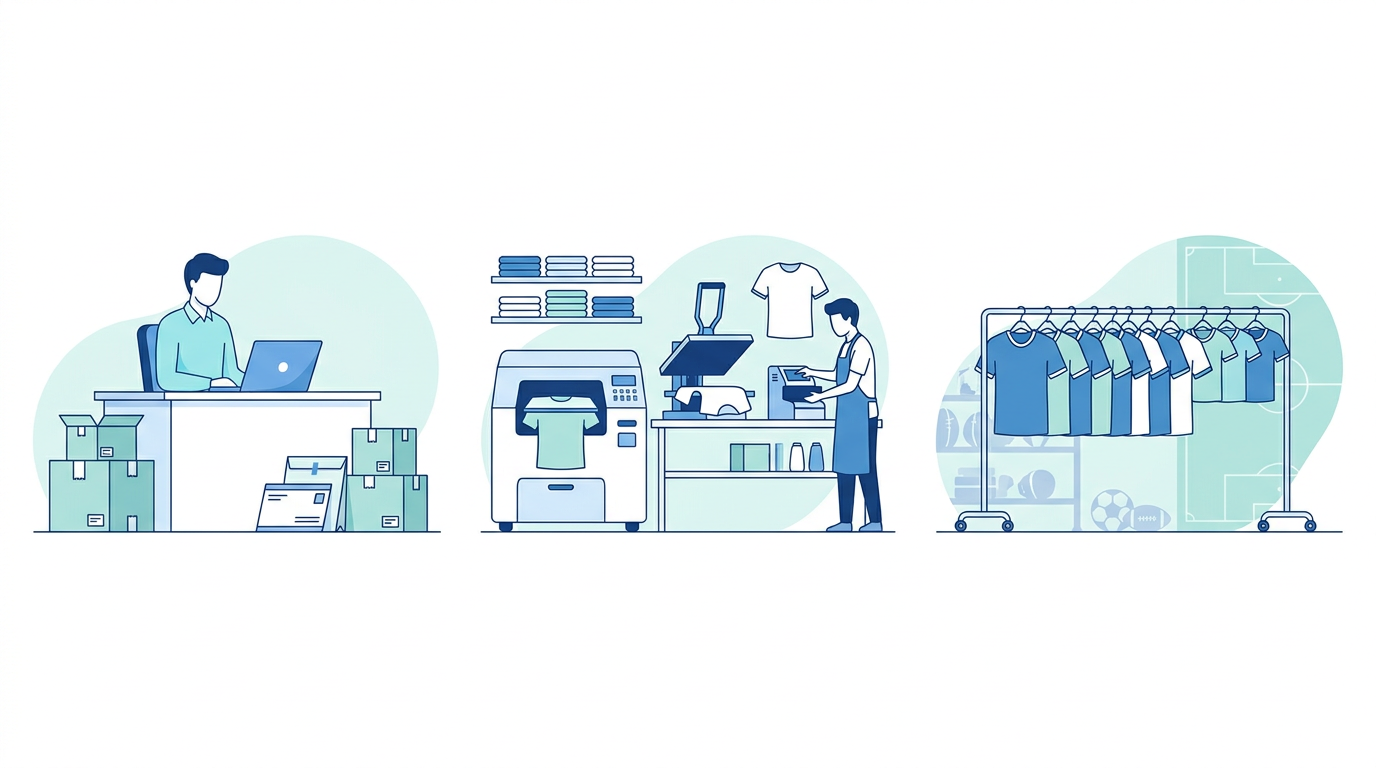
You fulfill through print-on-demand
Choose a personalizer with a direct connection to your provider. Teeinblue fits Shopify stores with a template-based catalog. Customily fits if you also sell on Etsy or Amazon. If Printful is your only partner, Fancy Product Designer and DORO connect to it as well.
You print custom t-shirts in-house with DTF, DTG, or sublimation
Choose the tool that produces the file your printer needs. A merchant in the Shopify Community described this exact search: in-house DTF, views for front, back, and sides per color variant, and no print-on-demand.
Fancy Product Designer fits this case, with one print file per print area and automatic delivery to cloud storage. Once volume grows, the file handoff is where the time goes. Our guide on scaling a custom apparel business explains how to automate it.
You sell teamwear or screen-printed bulk orders
Inkybay comes first. Its setup fees per color and per print position match how screen printers quote, and names and numbers are part of every plan.
Fancy Product Designer is the second choice. It covers names and numbers, bulk variations, and color-based pricing, but it has no color separation. Kickflip is worth a look if your jerseys are built from configurable panels.
You only need a name and a size
You may not need a product designer at all. If customers only type a name and pick a size, a product options app is enough. A product designer pays off once customers place artwork on a garment and you need a print file.
How we compared the tools
All prices, plan limits, ratings, and feature claims come from the Shopify App Store listings and the vendors' own websites, read on November 16, 2026. We did not test every tool in a live store.
A plan that is free only for development stores does not count as a free plan here, because you cannot sell with it. Where a listing does not mention a feature, the tables say "Not listed."
Chamevo makes Fancy Product Designer. The features listed for it come from the app itself. Two of them, the Printful connection and color-based pricing, are not yet named in its App Store listing. For a neutral starting point on design tools in general, Shopify's own overview of t-shirt design software covers editors and print-on-demand catalogs, which this article leaves out.
FAQ
What is the best product designer for apparel on Shopify?
The best product designer for apparel on Shopify depends on how you produce. Fancy Product Designer fits in-house production with DTF, DTG, or sublimation. Inkybay fits screen printing and team orders. Teeinblue fits print-on-demand sellers. DORO Custom Product Designer has the only free plan for live stores.
What is the difference between a product designer and a print-on-demand app?
A product designer lets shoppers create their own design on a garment in your store and gives you a print file. A print-on-demand app prints and ships the order for you. Many stores use both: the designer on the product page and a provider such as Printful for fulfillment.
Can I use a product designer if I print in-house?
Yes, a product designer works without any print-on-demand provider. For in-house printing, check three things: separate print areas for each position, export in the format your printer needs, and automatic file delivery to your production folder. Fancy Product Designer and Inkybay are built for this setup.
Which product designer supports names and numbers for team orders?
Four of the eight tools document a names and numbers feature. Inkybay includes it in every plan, and Fancy Product Designer offers it as a module. Zakeke lists it as part of its bulk variation forms, and Qstomizer as a numbers feature. Inkybay also adds a surcharge per name and per number to the price.
Is there a free Shopify app for custom t-shirts?
Yes, there is one free Shopify app for custom t-shirts in this comparison. DORO Custom Product Designer has a free plan for live stores, limited to five products with PNG and JPG export. Teeinblue, Customily, and Zakeke also show a free plan, but it applies to development stores only, so you cannot take real orders with it.
What file type is best for t-shirt printing?
The best file type depends on the print method. DTF and DTG work best with a transparent PNG at 300 DPI in final print size. Screen printing needs vector files such as SVG or PDF. Embroidery needs a digitized stitch file, which none of the eight tools lists as an export.
Choosing the best product designer for apparel
The best product designer for apparel, whether you sell custom t-shirts, hoodies, or team jerseys, is the one that matches your production:
- In-house production: Fancy Product Designer, for one print-ready file per print area
- Screen printing and teamwear: Inkybay first, Fancy Product Designer second
- Print-on-demand: Teeinblue on Shopify, Customily across several channels
- Small budget: DORO for the free plan, Qstomizer for unlimited orders at $9.99
- Premium previews: Zakeke
- Configurable garments: Kickflip
Start with your production method, then check the print file each tool delivers. Every tool in this list has a trial or a free plan, so run one real order through your printer before you decide.
If you print your own garments, try Fancy Product Designer on Shopify free for 14 days and set up your first shirt with front and back print areas. The Shopify product customizer page shows how designs travel with the order and how you export the print files.