Vendor Product Isolation
Each vendor only sees their own Chamevo products and categories. No cross-vendor access — vendors manage their product catalog independently.
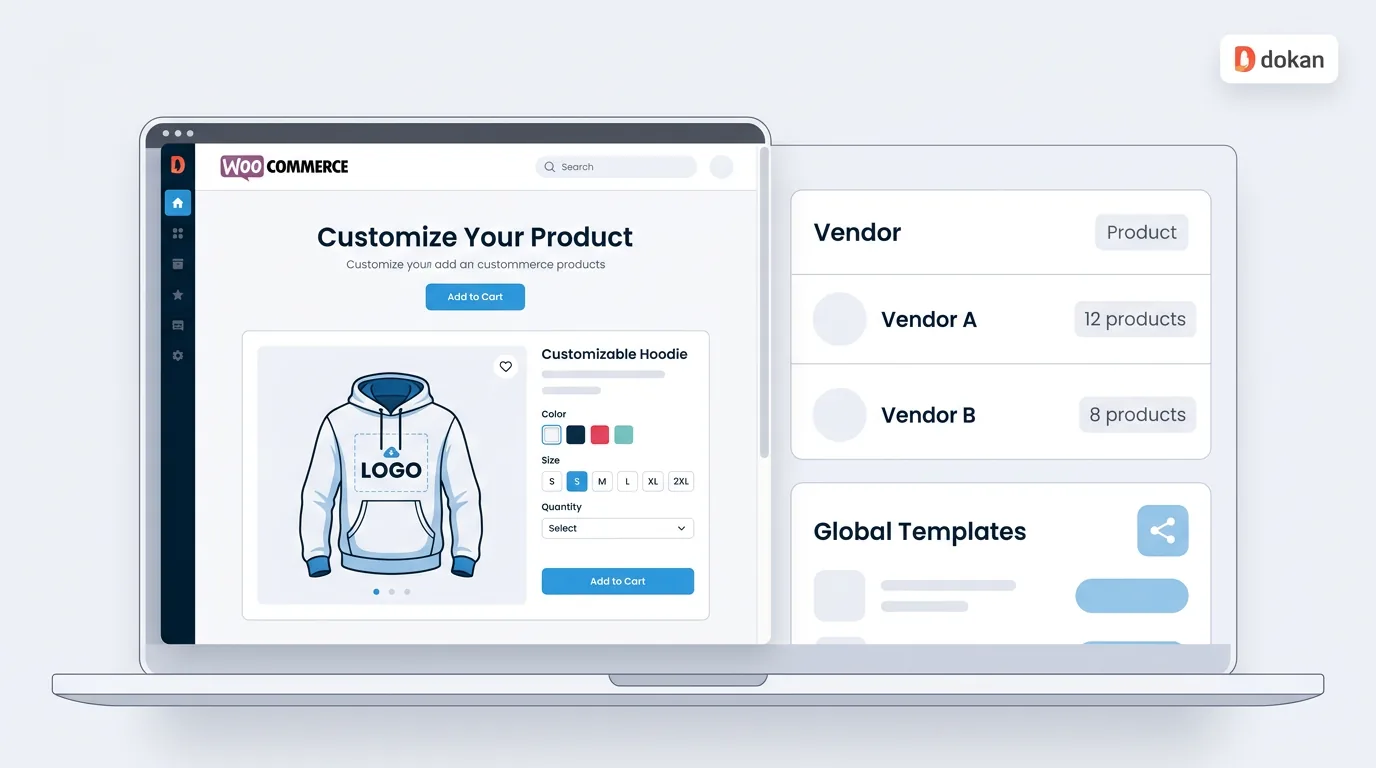
What Chamevo Adds
Install Chamevo alongside Dokan and vendors can create their own customizable products. Marketplace owners control shared assets. Customers design and buy. Every order generates a print-ready file — no manual file handling at any step.
Each vendor only sees their own Chamevo products and categories. No cross-vendor access — vendors manage their product catalog independently.
Designate a global user whose product templates are available to all vendors. Vendors use shared designs as starting points while building their own catalog.
Customers upload images, add text, choose fonts, pick colors, and place clipart on a live product preview. Works on mobile and desktop.
Every order generates a production-ready file at 300 DPI with correct bleeds — delivered automatically to Dropbox, AWS S3, or Google Drive.
How It Works
Capabilities
Chamevo automatically filters products by vendor. Each seller only sees and manages their own customizable products and design categories — no access to other vendors' catalogs. Powered by Dokan's seller role system.
Marketplace owners can designate one user's Chamevo products as global templates. All vendors see these shared designs alongside their own — reducing onboarding time for new sellers who can start with ready-made templates.
Customers upload photos, logos, and artwork directly on the product page. Chamevo's AI background removal and upscaling tools ensure uploads are always print-quality — even if the customer submits a low-resolution image.
Customers combine images, text, shapes, and clipart in a layered design canvas — not a simple text field. Live product preview updates in real time so customers see exactly what they're ordering before they buy.
Every order generates a production-ready file at 300 DPI with correct bleeds, trim marks, and print profile settings. Files are delivered automatically to Dropbox, AWS S3, or Google Drive — vendors never handle files manually.
70-80% of marketplace shoppers browse on mobile. Chamevo's touch-first design canvas works on any device — customers can upload, design, and preview products on their phone as easily as on desktop.
Use Cases
Multiple vendors selling custom t-shirts, hoodies, and activewear. Customers upload team logos, add names and numbers, or create original designs. Each vendor receives a print-ready file per order automatically.
Vendors selling mugs, photo gifts, engraved items, and personalized keepsakes. Customers add names, photos, and messages. Chamevo's AI upscaling ensures even phone photos produce print-quality output.
Multiple print vendors offering business cards, stickers, wall art, and signage. Each vendor sets their own print specs; Chamevo generates 300 DPI files with correct bleeds per product type.
Vendors selling custom phone cases, laptop sleeves, and accessories. Customers place photos and artwork on a live product preview. Orders go to vendors as print-ready files with no manual handling.
B2B marketplaces where companies order branded merchandise from multiple vendors. Global product templates ensure brand consistency while vendors manage their own product catalogs independently.
Vendors selling invitations, place cards, and event signage. Customers personalize within vendor-created design templates. Each vendor manages their own catalog; marketplace owner shares base templates via global products.
FAQ
Common questions about adding product customization to Dokan WooCommerce marketplaces with Chamevo.
No. Dokan provides vendor management, commission handling, and vendor storefronts — but does not include a product customizer that lets customers personalize products on the storefront. To offer product customization on a Dokan marketplace, you need a separate plugin like Chamevo. Chamevo detects Dokan automatically and enables vendor-specific features — product isolation, dashboard access, and order actions.
When Dokan is active, Chamevo automatically filters its product database by the logged-in vendor's user ID. Each vendor only sees products and categories they created — they have no access to other vendors' designs. This is enforced at the database query level, not just the UI, so vendor data is fully isolated.
Marketplace owners can designate one WordPress user as the 'global products' user in Chamevo's Dokan settings. Any Chamevo products created by that user become visible to all vendors alongside their own products. This is useful for providing starter templates, seasonal designs, or marketplace-standard product layouts that all vendors can use.
Vendors need limited admin access to use the Chamevo Product Builder — but Dokan's 'Admin area access' setting must be turned off so vendors can reach the WordPress admin. Chamevo automatically hides all admin menus except the Product Builder from vendors, so they only see what they need. A 'Product Customizer' link also appears in the Dokan vendor dashboard for quick access.
Vendors can access: the Product Builder (create/edit customizable products) and their own product categories. Marketplace admins control: design asset libraries (graphics, fonts, colors), print profiles, UI Composer settings, pricing rules, and all platform-level configuration. This separation ensures vendors can create products without affecting marketplace-wide settings.
A 'View Customized Product' action appears on vendor orders in the Dokan dashboard. Vendors click it to see the customer's design, download the print-ready file, and view order details — all without leaving the familiar Dokan order interface.
When a customer places an order, Chamevo automatically generates a production-ready file at 300 DPI with the correct bleeds and print settings. The file can be delivered to Dropbox, AWS S3, or Google Drive. Vendors can also view and download files from the order details page. For fully automated production, connect Chamevo to Printful or other fulfillment services.
Chamevo pricing for WooCommerce starts at $29/month (Starter, 50 orders/month) and scales to $89/month (Growth, 250 orders/month) and $199/month (Pro, 750 orders/month). All plans include unlimited products, no per-vendor fees, and no transaction fees. Annual billing saves the equivalent of 2 months. Every plan includes a 14-day free trial.
Partner Program
Build product customization into your client projects — without developing it from scratch.
Join 20,000+ e-commerce stores using Chamevo to sell custom products with confidence.
14-day free trial • Cancel anytime