WooCommerce Integration

WooCommerce Product Customizer
How it fits
Built into every step of your WooCommerce store
Product page
Customize any product type
Simple, variable, and downloadable products. Show the customizer in place of the product image, in a modal, or after the title.
Cart
Edit designs from the cart
Customers reopen their design from the cart and change it before checkout. The price updates with every change.
Checkout & emails
Design details on every order
Customization details appear in the cart, at checkout, and in WooCommerce order confirmation emails.
Order details
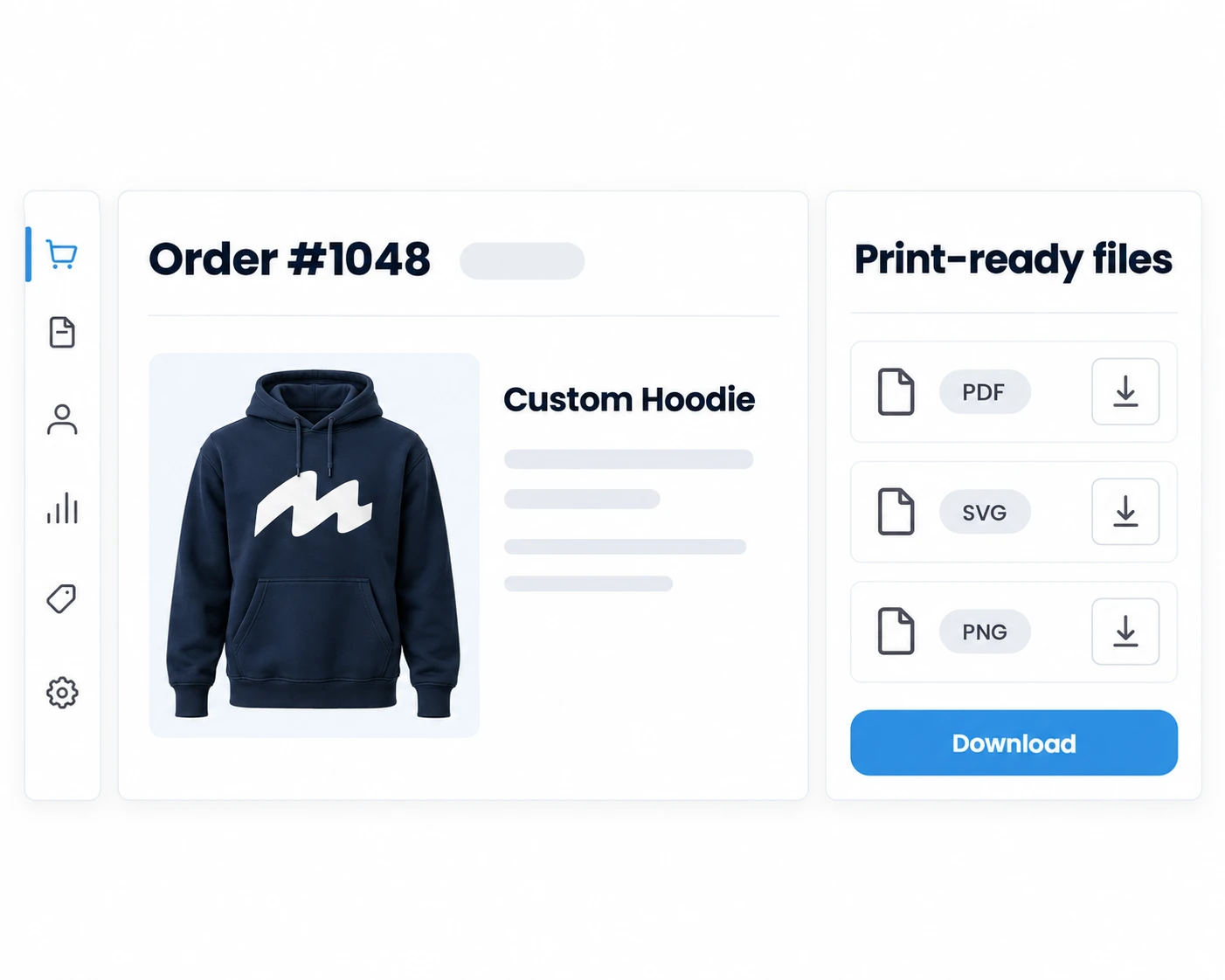
Print-ready files in the order
Export PDF, SVG, PNG, or JPEG with bleed zones straight from the WooCommerce order screen.
Fulfillment
Send to production automatically
Route files to Printful, Dropbox, AWS S3, or Google Drive, or trigger your own workflow via webhooks.
WooCommerce Features
What makes Chamevo the best WooCommerce product customizer?
Order exports
Works with any product type
Flexible display options
Cart integration
Variable product designs
Cross-sells
Downloadable products
Dynamic pricing
Mobile-first design
Setup
How to set up Chamevo on WooCommerce
- 1
Install the plugin
Download the Chamevo plugin from chamevo.com, upload it to your WordPress dashboard under Plugins → Add New → Upload, and activate. The plugin registers automatically with WooCommerce. - 2
Configure your products
Set up print profiles for each product: define print areas, bleed zones, minimum resolution requirements, and allowed file types. Chamevo handles export settings automatically based on your configuration. - 3
Customize display
Choose how the customizer appears on your product pages — as an inline replacement for the product image, inside a modal overlay, or positioned after the product title. Match the layout to your store's design. - 4
Start selling
Customers design products live on your store, orders flow into your WooCommerce dashboard with full customization data, and print-ready files are generated automatically for your production queue.
Compatibility
Works with your theme and your plugins


Unlock more possibilities with our extensions for WooCommerce
In addition, our WooCommerce integration is compatible with an even broader range of third-party plugins.

Sell Printful Products
Our Printful extension establishes a direct connection between your custom designs and Printful's fulfillment network. By eliminating the challenges of API limitations and potential data loss during transfers, your personalized products seamlessly sync automatically. This ensures that every customization detail, from the design tool to the final destination, is preserved and maintained.
Learn More
Multi-Vendor Marketplace
Dokan transforms your WooCommerce store into a multi-vendor marketplace, enabling customers to become sellers. By delegating inventory management to vendors, you earn commissions while they handle their own customizable products, ranging from personalized t-shirts to custom phone cases. This approach allows your store to grow without the associated overhead costs.
Learn More
WPML-Ready
Chamevo's frontend labels are fully translatable into multiple languages and compatible with the WPML plugin, thereby enhancing accessibility for a global audience.

Bulk Variations Order
Facilitate customers to conveniently purchase multiple product variations simultaneously, thereby streamlining the shopping process and enhancing the overall user experience.
Get Plugin
Enhanced Variations Dropdown
Transform variable product dropdowns into a user-friendly multi-step form, ensuring an intuitive and visually appealing interface that enhances the overall user experience.
Get PluginFAQ
Frequently asked questions
Common questions about using Chamevo as a WooCommerce product customizer.
A WooCommerce product customizer is a plugin that lets your online store customers personalize products before purchasing — adding text, images, graphics, and colors with a real-time visual preview. Chamevo is a WooCommerce product customizer that goes beyond basic personalization with AI-powered design tools (background removal, image upscaling, text-to-image generation), 3D product visualization, dynamic pricing rules, and automatic print-ready file exports. It integrates natively with WooCommerce's cart, checkout, and order management, so customized products flow seamlessly through your entire store workflow without manual file prep.
Chamevo installs as a native WooCommerce plugin that hooks into the platform's core systems. Customization data travels with the order through cart, checkout, order management, and email notifications. You can view, re-export, or adjust customized files directly from the WooCommerce order detail screen. For automated workflows, Chamevo supports webhooks, REST API access, and automatic cloud delivery to Dropbox, AWS S3, and Google Drive.
Chamevo supports all WooCommerce product types: Simple, Variable, and Downloadable. You can enable the product customizer for individual products or apply it store-wide. Variable products can load distinct design templates per variation, and Downloadable products let customers download their customized design immediately after payment.
Download the Chamevo plugin from chamevo.com, then upload it through your WordPress dashboard under Plugins → Add New → Upload Plugin. Activate the plugin, configure your print profiles and product settings, and the customizer is ready for customers. No developer needed — works with any WooCommerce theme out of the box.
Yes. Chamevo is designed to work with any WooCommerce theme without modifications or custom code. The plugin adapts to your theme's layout automatically. You can further control placement by choosing to display the customizer as an image replacement, in a modal, or inline after the product title.
Chamevo's dynamic pricing combines WooCommerce's base product price with additional pricing rules. You can charge based on design coverage (how much of the print area is used), order quantity (tiered discounts for bulk), text length (per character or per line), and number of colors (useful for screen printing). Prices update in real time as customers make design changes, so there are no surprises at checkout.
Chamevo generates production-quality PDF, PNG, JPEG, and SVG files. Each format supports custom bleed zones, configurable resolution settings, and color profiles. Files are generated automatically when a customer places an order and can be delivered to your production queue, Dropbox, AWS S3, Google Drive, or via webhooks.
Yes. Chamevo provides full cart integration for WooCommerce. Customers can re-open their customized design directly from the cart page, make changes, and update the item — all before checkout. Customization details are also displayed in the cart line items and included in order confirmation emails.
Chamevo's WooCommerce plans start at $29/month (Starter) with 50 orders per month and 100 AI credits. The Growth plan ($89/month) includes 250 orders, 500 AI credits, and 3D visualization. The Pro plan ($199/month) offers 750 orders and 1,500 AI credits. All plans include unlimited print profiles, a 14-day free trial, unlimited products, and no transaction fees. Annual billing saves two months.
Yes. Chamevo fully supports WooCommerce variable products. Each product variation can load its own distinct customizable design template — so a t-shirt in different colors or sizes can offer completely different customization layouts, print areas, and design elements. Customers select their variation first, and the customizer automatically loads the matching design template.
Running your store on another platform?

Built for Shopify app with deep theme integration. Works with Online Store 2.0, supports metafields, and handles Shopify's 100-variant limit automatically.
See the Shopify integration
Standalone WordPress plugin that works without WooCommerce. Embed via shortcode on any page with any page builder — Elementor, WPBakery, Divi, or Gutenberg.
See the WordPress integration