


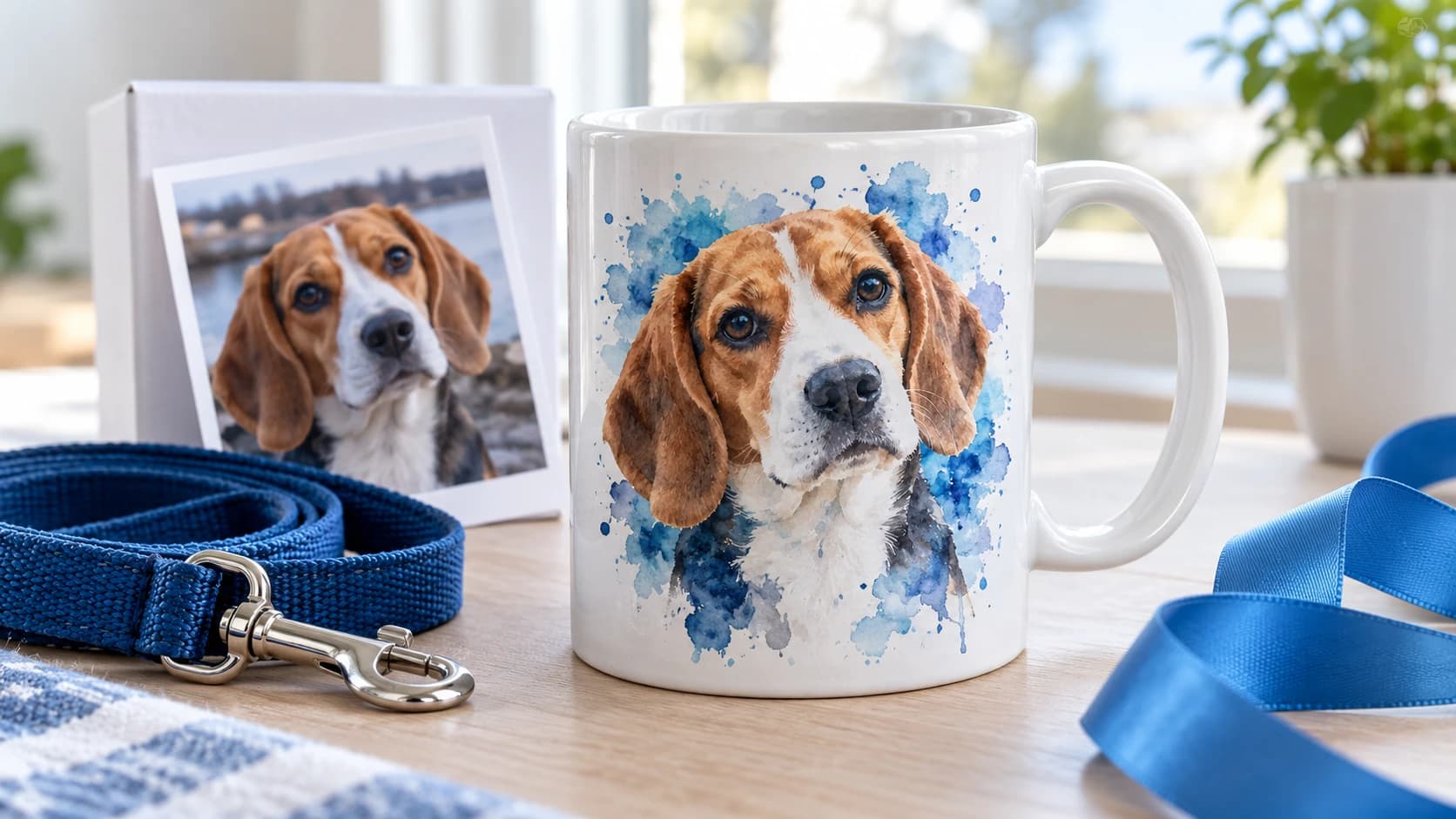
Style: Watercolor
Pet portraits on mugs
The dog photo from last summer becomes a watercolor on a mug. Pet owners buy it for themselves as often as for someone else.
Custom drinkwarePhoto Tools
A family photo becomes framed artwork. Your customers pick the style before they order.
Choose a sample photo
Pick a photo style
Demo preview
Every result you see is a real AI Photo Styles output, prepared in advance so this demo uses no AI credits. In your store, customers style their own photos the same way.
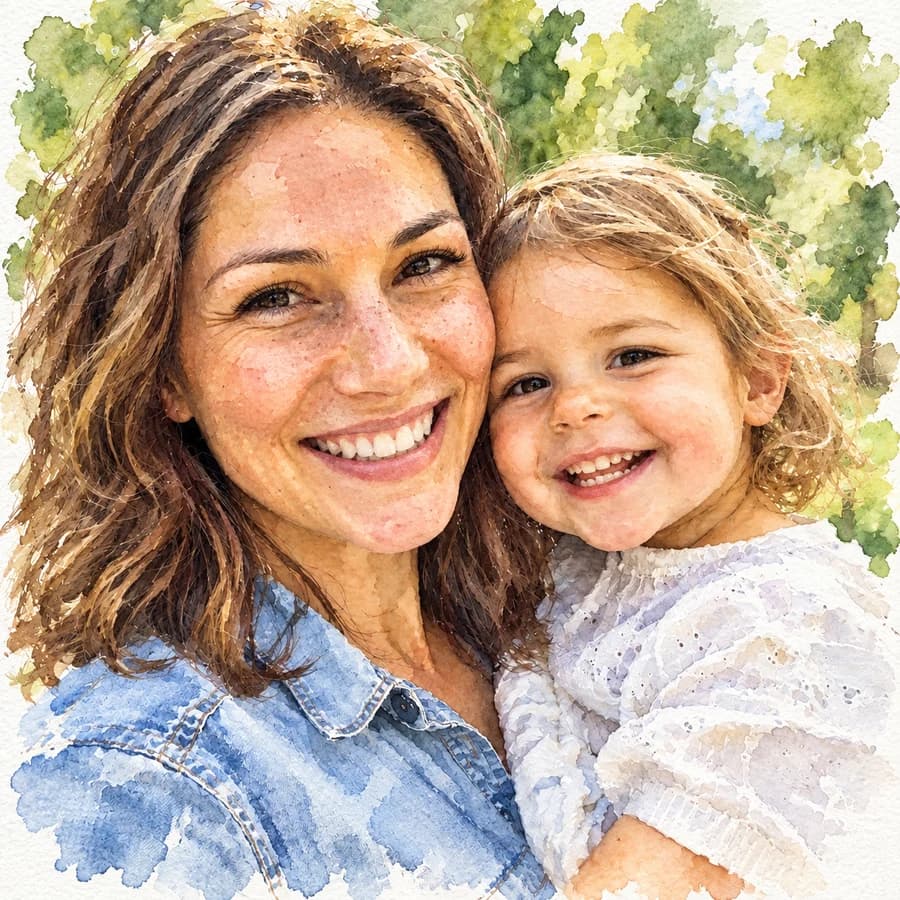

Original
Watercolor
1 · AI Photo Styles
AI Photo Styles turn a snapshot into a watercolor, a cartoon, or a sketch with one tap. Drag the handle to compare the original with the styled version.
LOVE
2 · Photo Masks
You define a mask for the print area: a word like LOVE, a heart, a number. The shopper uploads a photo, and Chamevo clips it to that shape. Every order matches your layout, whatever picture arrives.
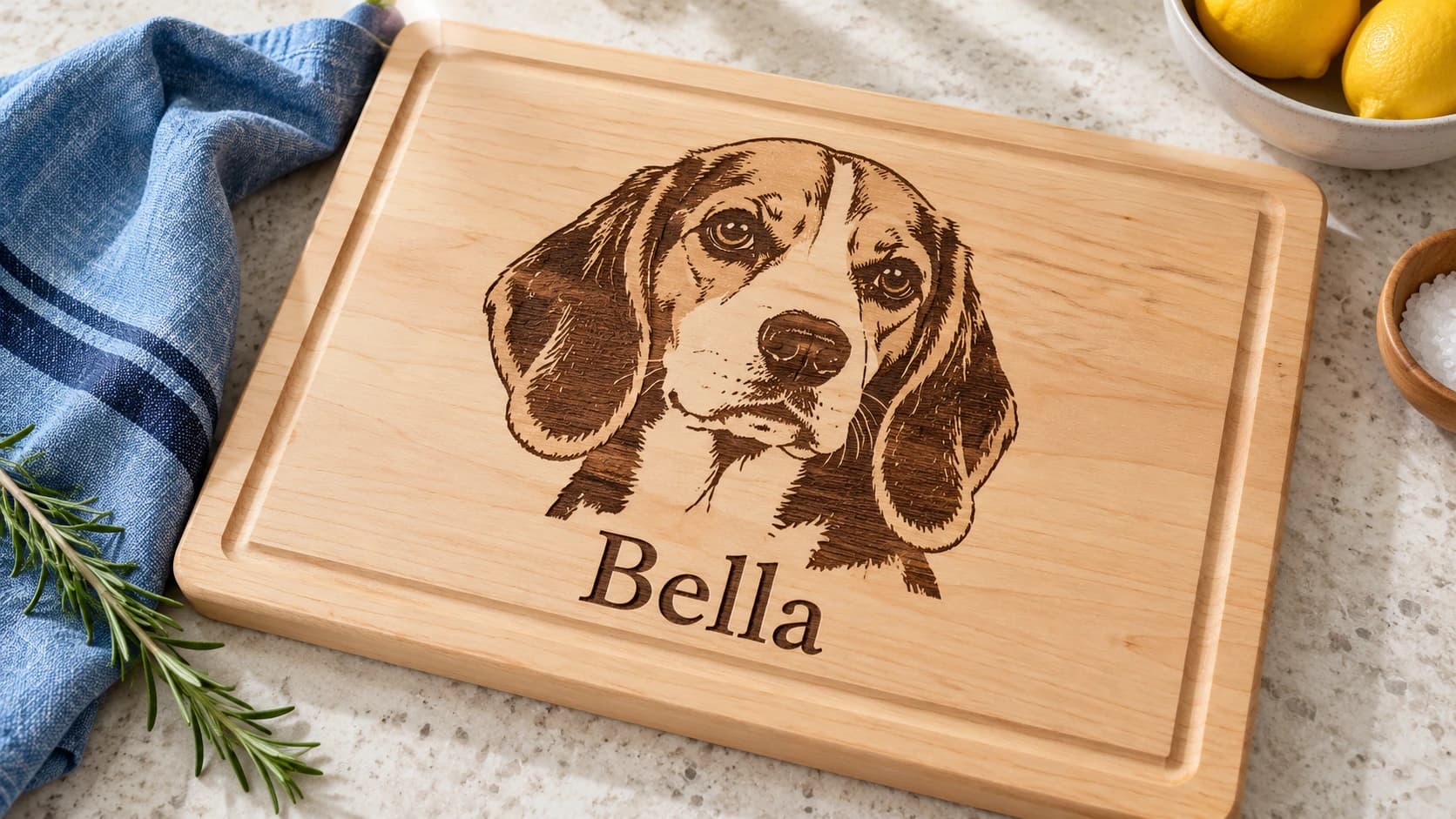
3 · Engraving Mode
Switch a print profile to engraving mode, and Chamevo converts every uploaded photo into a high-contrast black-and-white image a laser can burn. Names and dates appear in an engraved look, so shoppers see the result on the product before they order.
Gift Ideas
Style: Watercolor
The dog photo from last summer becomes a watercolor on a mug. Pet owners buy it for themselves as often as for someone else.
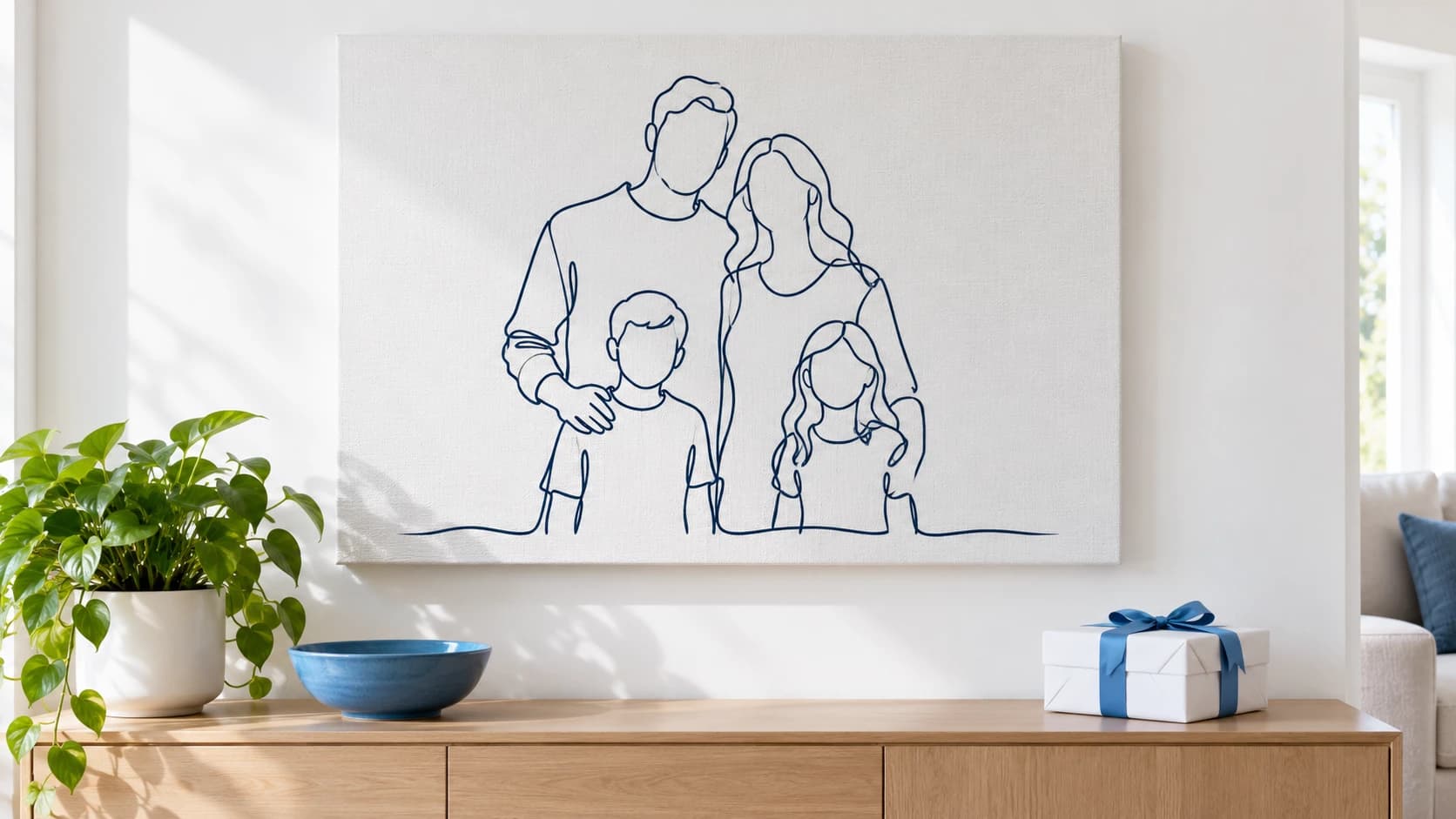
Custom drinkwareStyle: Line Portrait
A group photo turns into a line portrait that fits any living room. One clean motif instead of a crowded snapshot, printed at full canvas size.
Posters and prints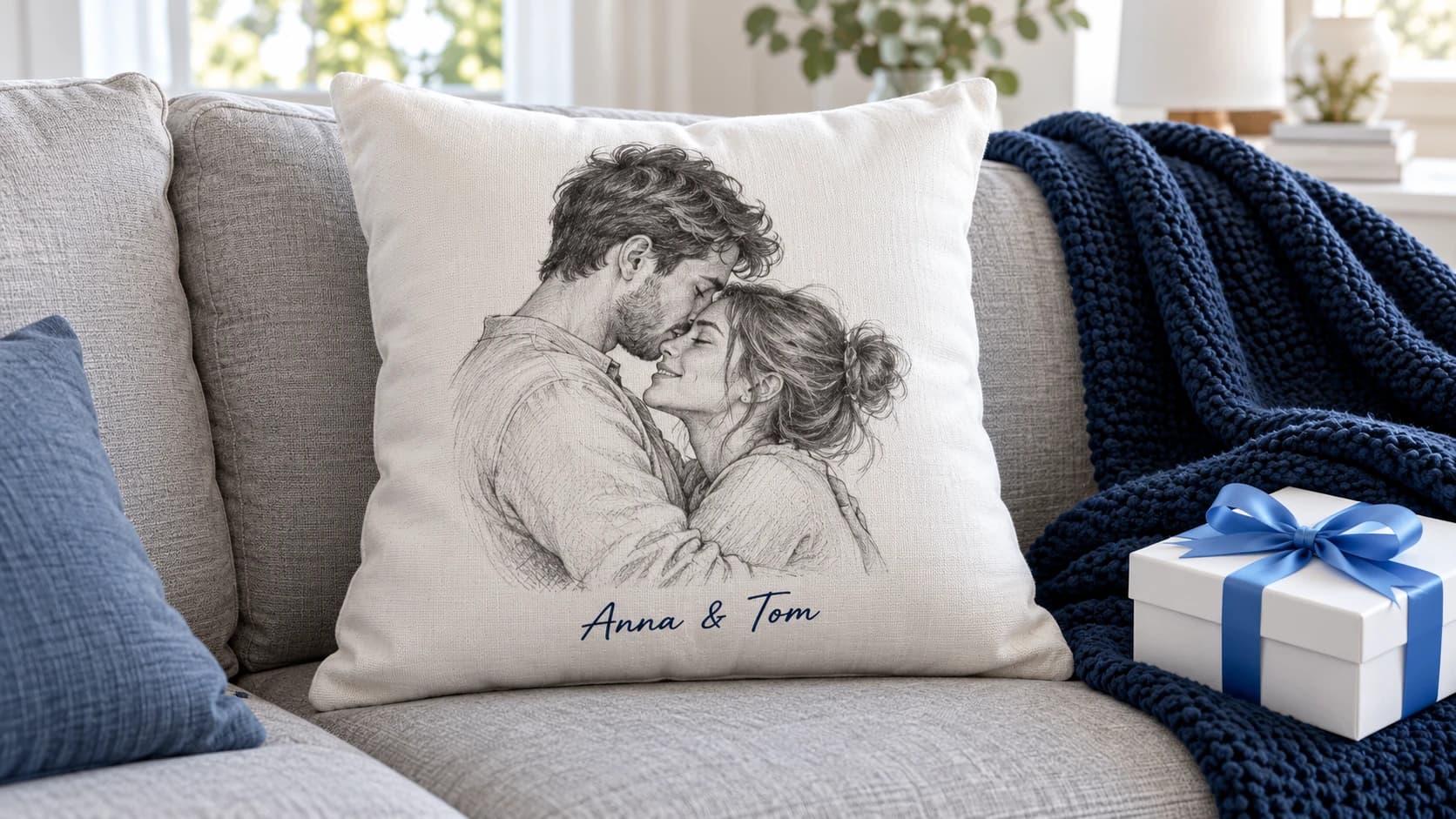
Style: Pencil Sketch
A favorite photo of the two becomes a pencil sketch with their names below it. The gift for Valentine's Day, weddings, and anniversaries.
Text and image tools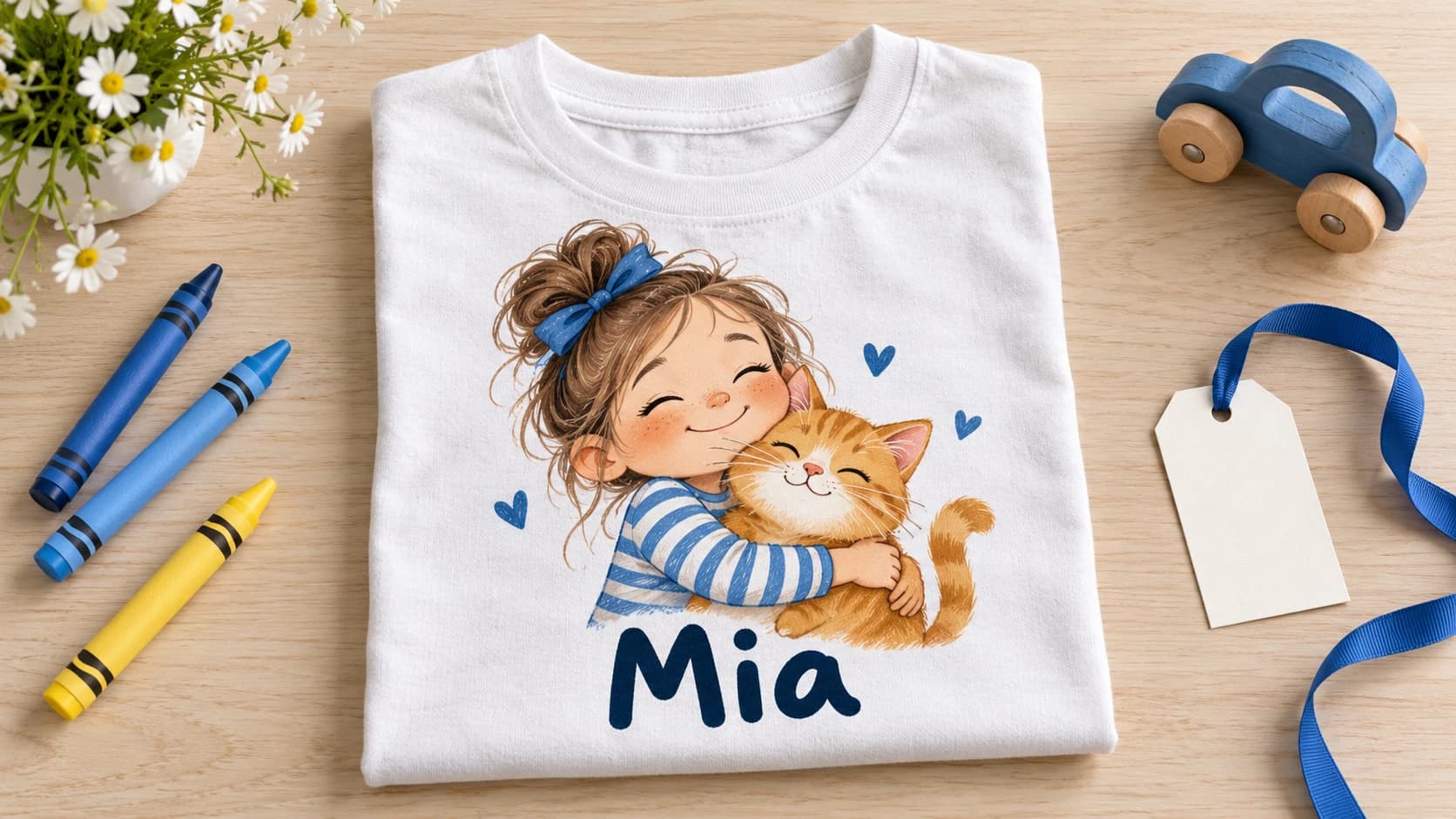
Style: Cartoon
Children as cartoon characters on their own t-shirt, with their name underneath. Birthdays and first days of school fill this category all year.
Custom apparel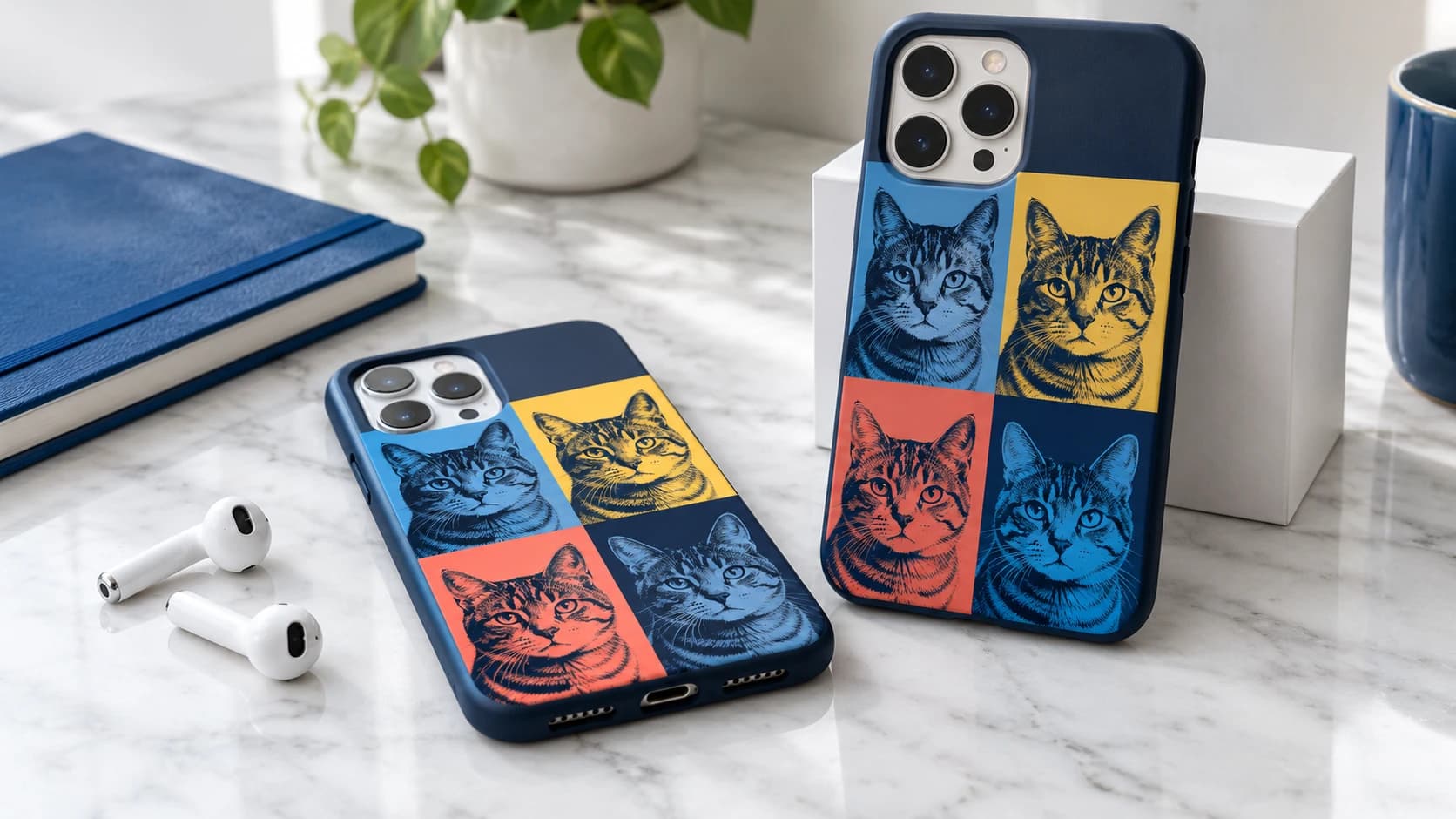
Style: Pop Art
One pet photo, four color panels. A bold look that suits small print areas and sells as an add-on to a larger gift.
Custom phone cases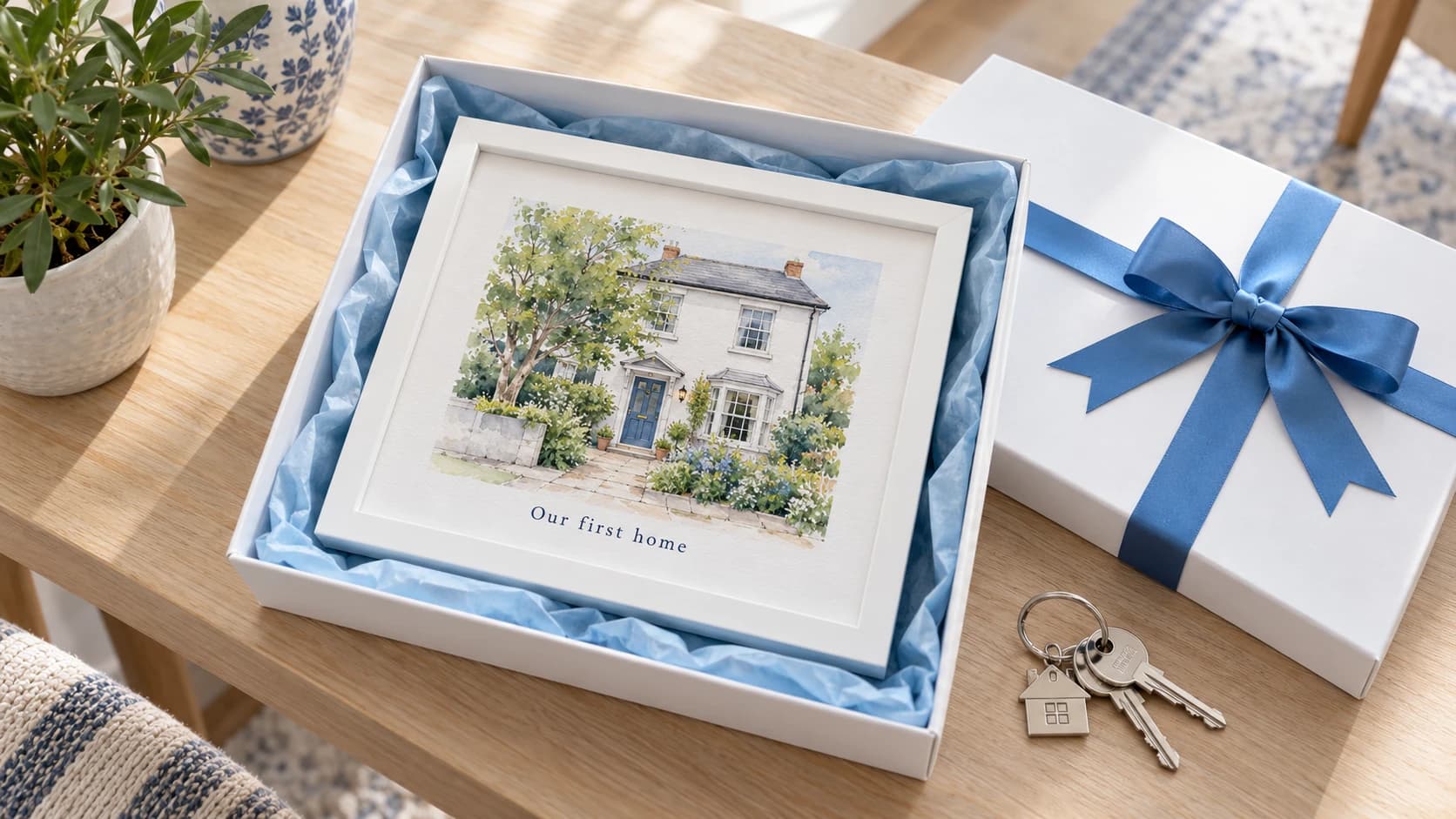
Style: Watercolor
A photo of the new house becomes a framed watercolor with a line of text. A housewarming gift nobody else brings.
All AI tools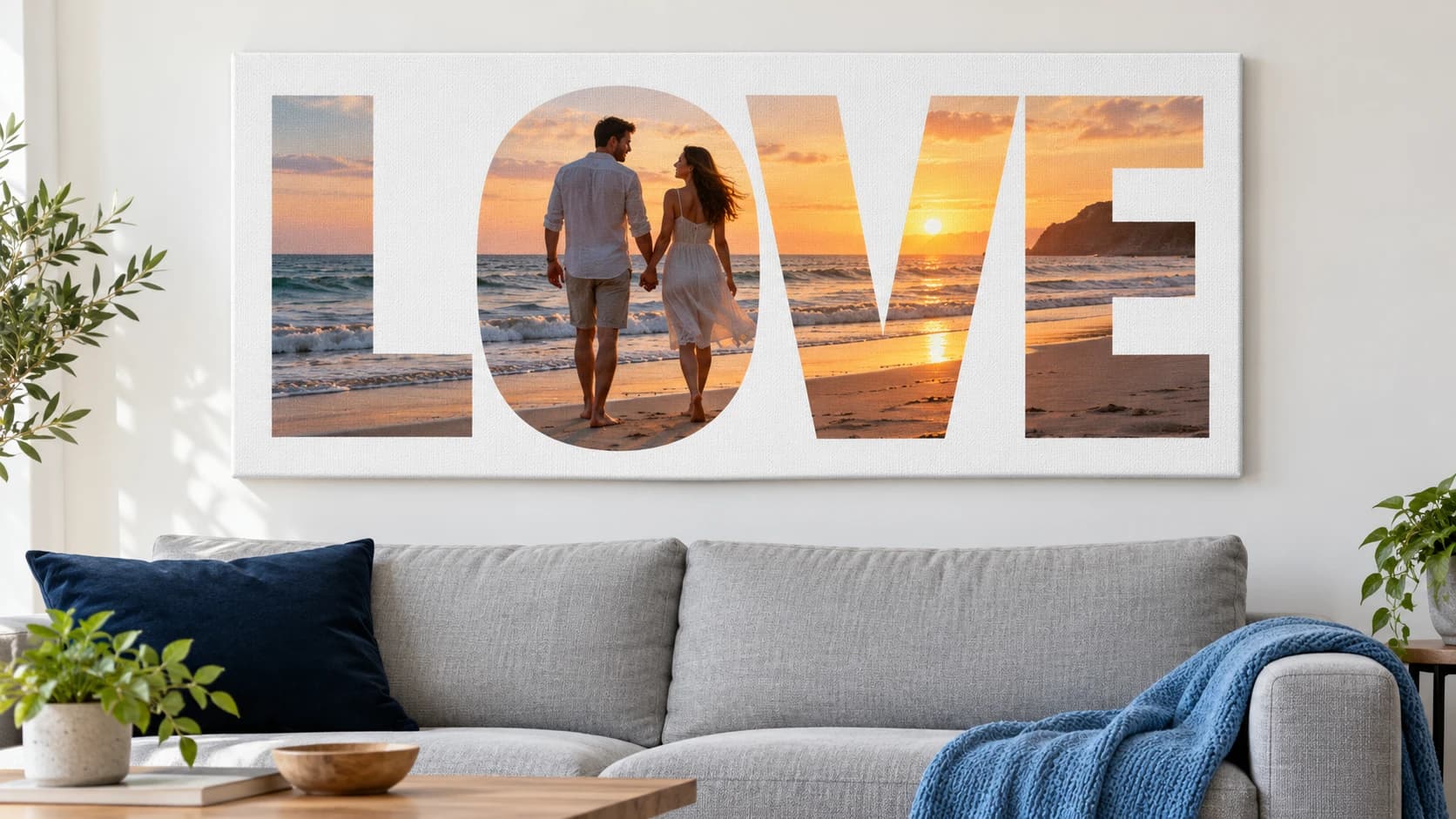
Mask: LOVE
The holiday photo fills the letters of LOVE. You set the word and the layout once, and each shopper adds a picture of their own.
Posters and prints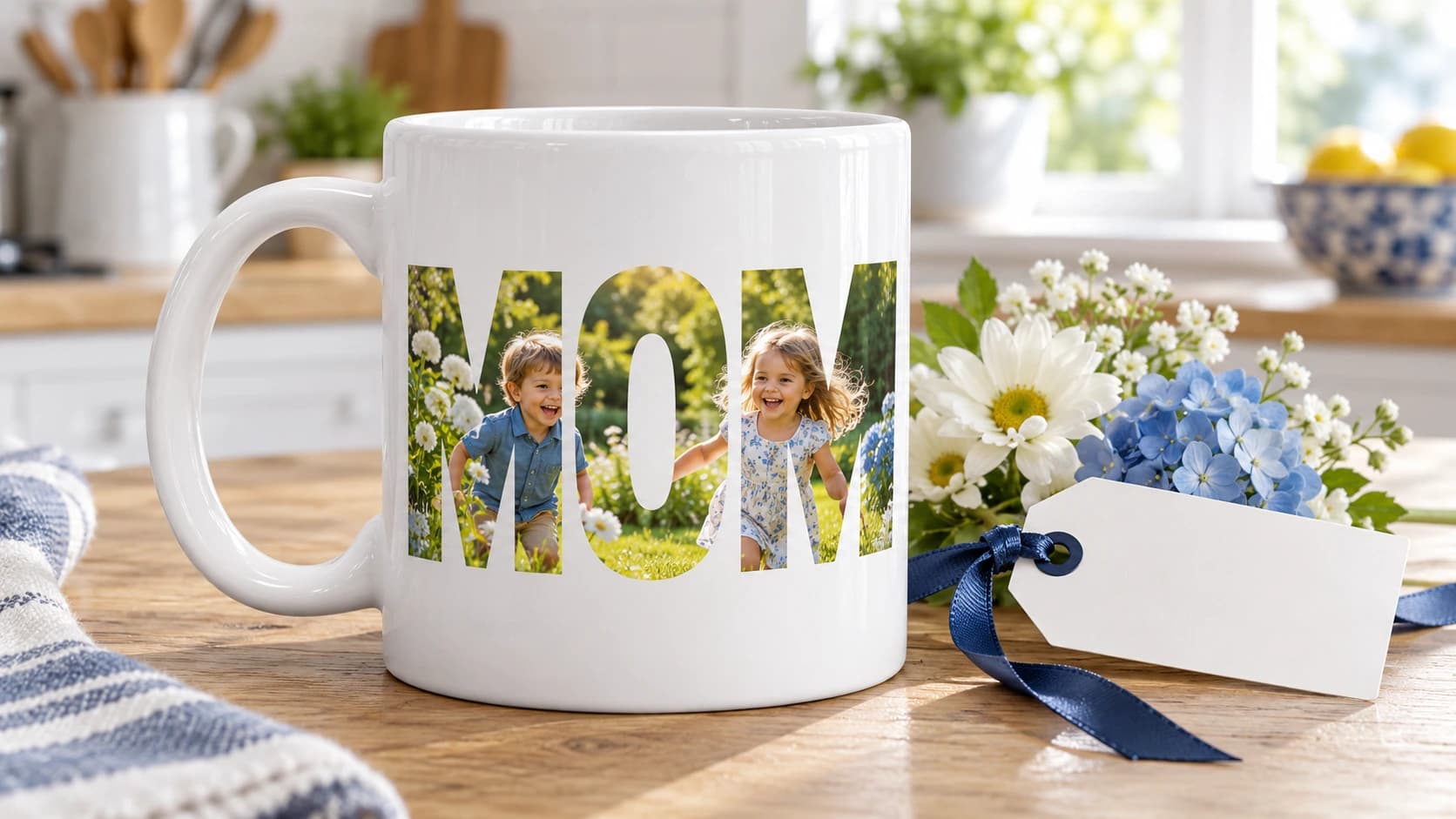
Mask: MOM
MOM, DAD, or GRANDMA as a mask, filled with a photo of the children. One product template covers a whole season of orders.
Custom drinkware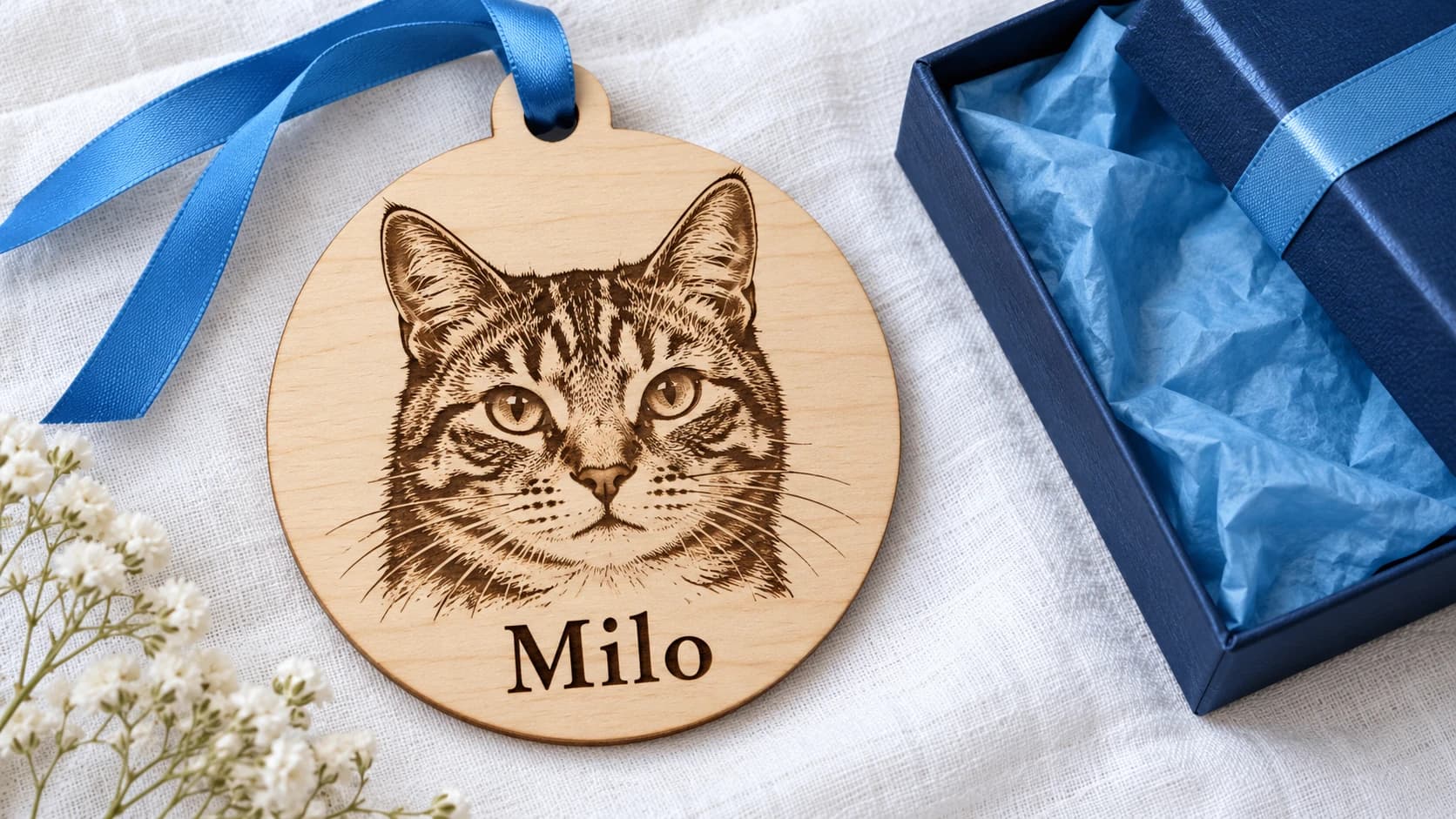
Engraving
A pet photo becomes a laser engraving on wood, with the name below it. Engraving mode prepares the picture, and you receive a file your laser can use.
EngravingHow It Works
Capabilities
A styled photo costs 2 to 4 credits. The 100 credits of the Starter plan cover 25 to 50 styled photos a month, and no AI tool is reserved for a higher plan.
2–4 credits per photo
A style consists of a name, a prompt, an image model, and a thumbnail. Add as many as you like and build a look that customers recognize as yours.
Set a style in a print profile and every uploaded photo arrives already styled. Your watercolor mugs look like one collection, whoever orders them.
Shoppers see a warning while they design when a photo falls below your minimum DPI. One click on “Upscale with AI” sharpens it for 2 credits.
The sofa and the parking lot do not belong on a gift. One click cuts the subject out cleanly before the style is applied.
70 to 80% of shoppers order from their phone, where the photo already is. Upload, style, and checkout work with one thumb.
Gift occasions through the year
Costs
Chamevo charges no transaction fees and no fee per order item. You pay your plan, from $29 a month for WooCommerce and WordPress.
$0 per order
You do not need an account with an AI provider, a funded balance, or a second invoice. The credits are part of your plan.
100–1,500 credits a month
Buy 500 additional credits for $10 before a peak. That is 4 to 8 cents per styled photo, and unused credits stay in your account.
500 credits for $10
Use Cases
Offer photo gifts without holding stock. Chamevo sends the finished design to Printful, which prints and ships the order.
Print-on-demand with PrintfulReceive files that match your print profiles, with bleed and resolution checked before the order reaches the press.
Print automationMugs are the classic photo gift. Shoppers see the styled picture on the mug in 3D before they order.
Custom drinkwareAdd printed photo gifts to an engraving range and serve the same customers for more occasions.
EngravingGive every vendor on a Dokan marketplace the same photo tools, with their own products and catalogs.
Multi-vendor marketplacesPlan for Mother's Day and Christmas with a fixed plan price and credits you can top up before the peak.
See pricingFAQ
AI Photo Styles redraw a shopper's own photo in a look you define, such as cartoon, watercolor, pencil sketch, comic, pop art, or line portrait. Shoppers apply a style with one tap in the image toolbar and can return to the original at any time. You can also set a style in a print profile so that every uploaded photo arrives already styled.
Between 2 and 4 credits, depending on the image model you choose for the style. Starter includes 100 credits a month, Growth 500, and Pro 1,500. If you need more, 500 additional credits cost $10 and never expire, which works out to 4 to 8 cents per styled photo.
No. AI Photo Styles run on the credits included in your Chamevo plan. You do not manage API keys, balances, or rate limits with a third party.
Yes. A style consists of a name, a prompt, an image model, and a thumbnail. Six starter styles are included, and you can add as many of your own as you like. Before a style goes live, you can try it on a sample photo or your own photo and compare the result with the original. Shoppers never see your prompt.
Chamevo checks every upload against the minimum DPI you set for the print area and warns the shopper while they are still designing. One click on “Upscale with AI” sharpens the image, and the upscaled version replaces the original in the print-ready file.
AI Photo Styles are part of the Chamevo plugin for WooCommerce and WordPress. You switch them on under Settings › AI Services in your WordPress admin.
Yes. Chamevo integrates with Printful, which prints and ships the order for you. If you print in-house or work with your own print partner, Chamevo delivers the print-ready files to Dropbox, Google Drive, or AWS S3.
No. Chamevo charges no transaction fees. Each plan includes a monthly number of orders: 50 on Starter, 250 on Growth, and 750 on Pro. You can try every plan free for 14 days.
Yes. You define a mask for the print area, for example the word LOVE, a heart, or a number, and Chamevo clips the shopper's uploaded photo to that shape. The mask is an SVG, so any outline works. You set it once per product, and the print-ready file contains the clipped artwork. Masks are available for WooCommerce and Shopify.
Join 20,000+ e-commerce stores using Chamevo to sell custom products with confidence.
14-day free trial • Cancel anytime