Meet the redesigned Chamevo admin interface
Chamevo's admin interface just got a full redesign, with a central color management hub and a dedicated translations page that auto-translates your customizer.
 Rafael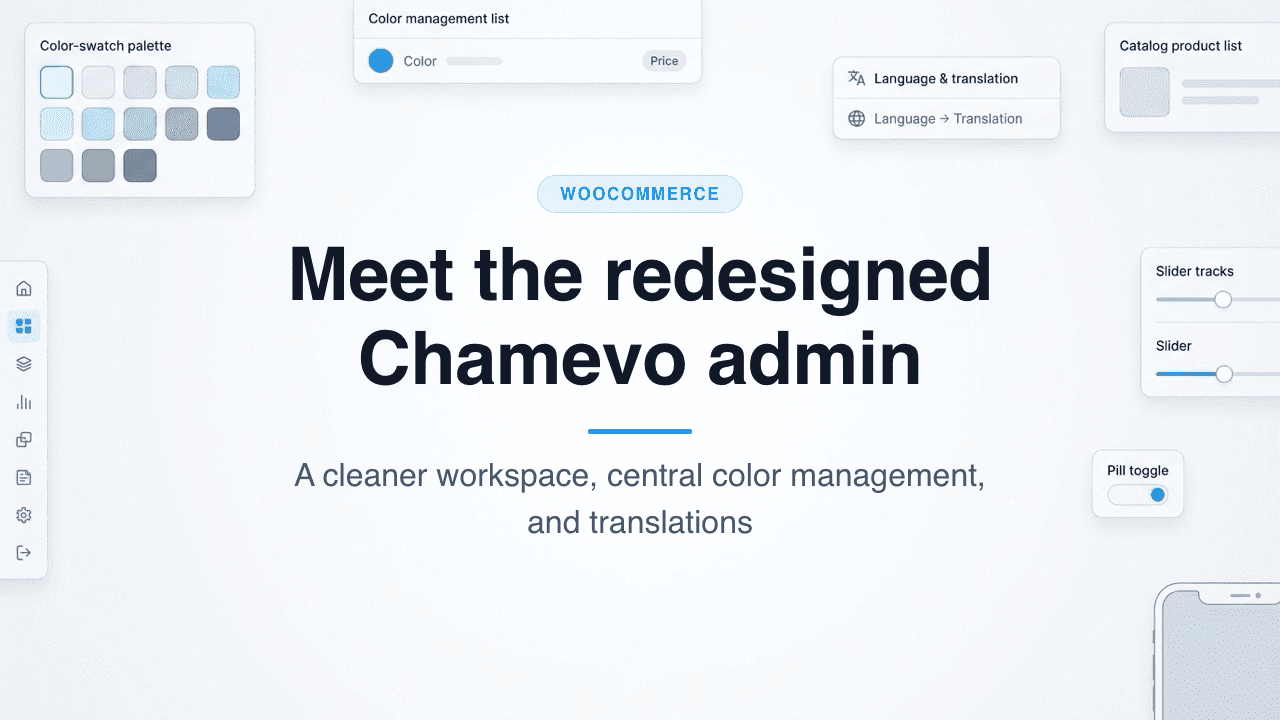
Meet the redesigned Chamevo admin interface
A few weeks ago we released the new frontend customizer for Chamevo, the part your shoppers actually touch. Now it is your turn. We have given the Chamevo admin interface a complete visual overhaul, so the screens you work in every day feel calmer, faster, and easier to move through. Every admin screen has a fresh look and feel.
This was not change for the sake of change. The goal was to make your daily work with Chamevo more productive, with less hunting for settings and fewer clicks to get things done. Better still, the redesign runs on your existing data, so there is nothing to migrate and nothing to relearn from scratch. This post walks through what changed, with a closer look at the two biggest workflow upgrades: central color management and a brand new translations page.
TL;DR
- The entire Chamevo admin interface has been redesigned for a cleaner, faster everyday experience. It runs on your existing data, so there is nothing to migrate.
- Color management moved into one central hub. You build reusable color palettes once, instead of defining colors per element inside the Product Builder.
- Customizer labels moved to a dedicated translations page, so you manage every language in one organized place.
- Connect a Google API key to automatically translate your customizer into any language in a few clicks, then refine the wording by hand.
- Other daily screens, including Products, Pricing Rules, Print Profiles, Fonts, Graphics, and the order viewer, all share the new look.
A fresh look across every admin screen
The first thing you will notice is consistency. Every admin screen now shares the same clean layout, spacing, and typography, so moving between Products, orders, and settings feels like one connected workspace rather than a set of separate tools. The interface gets out of your way and lets the work take center stage.
Take the Products screen. Your catalog, templates, and layouts sit behind clear tabs, with search, categories, and per-product actions exactly where you expect them. Creating a customizable product, adding a view, or opening settings is a quick, obvious move.
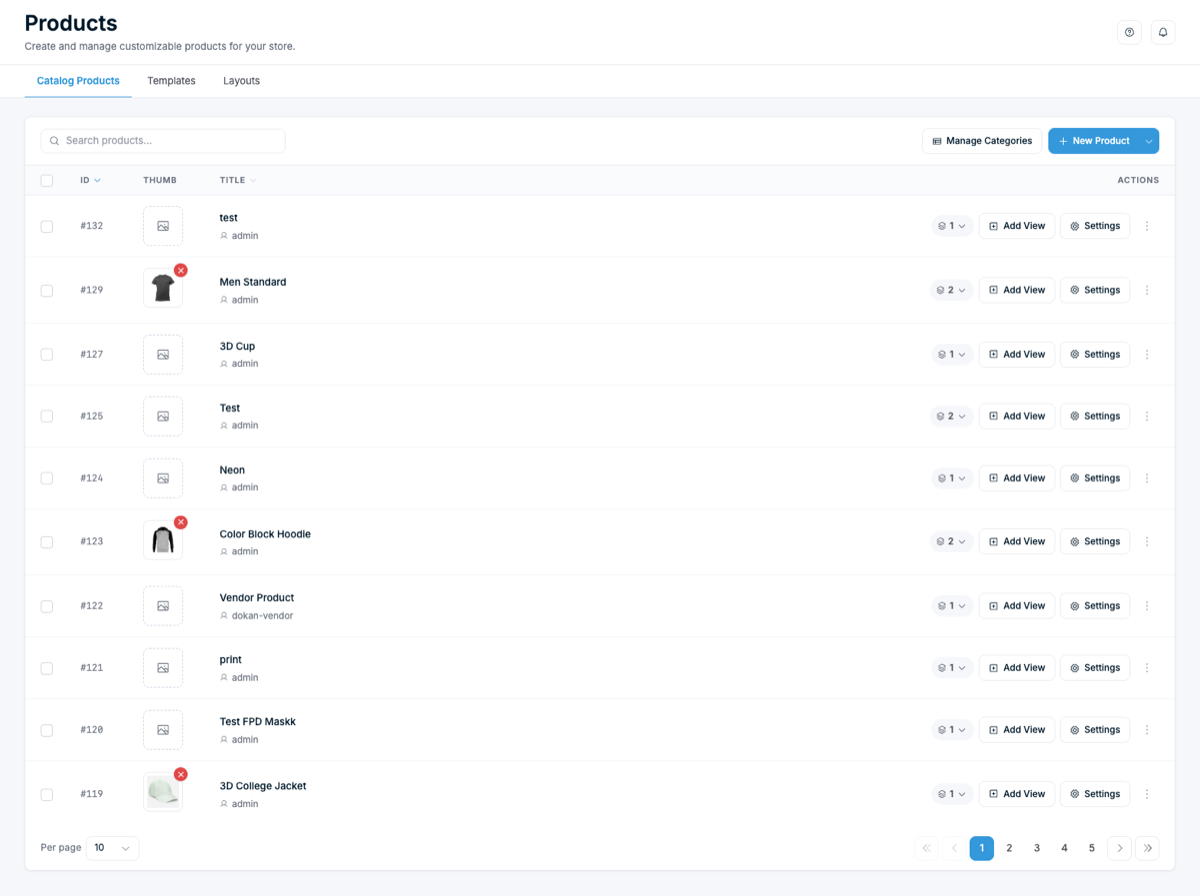
The same care carries through the rest of the admin. The print profiles, pricing rules, fonts, and graphics screens all received the new treatment, with clearer hierarchy and friendlier controls. If you have used Chamevo before, everything is still where you left it, just easier to read and quicker to act on. And because the redesign sits on top of your current configuration, your products, print setups, and pricing carry over untouched.
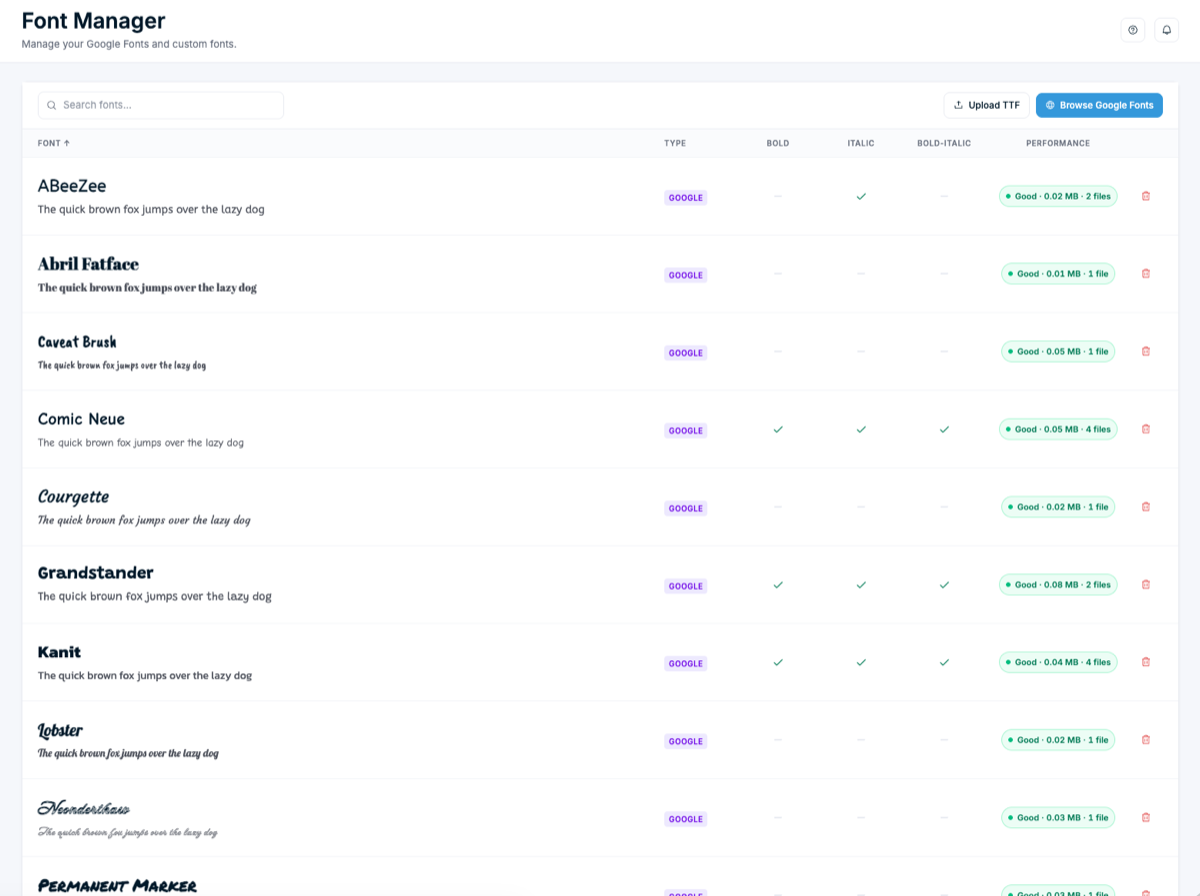
The asset libraries are a good example. The Font Manager lets you search, preview, and add Google Fonts or upload your own TTF files, with a live preview and a quick read on each font's file size. The Graphics library keeps your cliparts and images organized into categories and subcategories, ready to drop into a customizer. Both screens make the things you reach for often easy to find and faster to manage.
Color management, now in one central hub
Here is the change merchants will feel the most. We reworked how colors work in Chamevo. Instead of defining colors separately inside each element in the Product Builder, you now manage every color in one central hub, with its own name and price, and group them into reusable palettes.
That sounds small, but it changes your whole workflow. Say you offer a "Brand Colors" palette on hoodies, mugs, and tote bags. Before, you would set those colors up again and again, element by element. Now you define the palette once and reuse it everywhere. Update a color or a surcharge in the hub, and every product that uses that palette stays in sync.
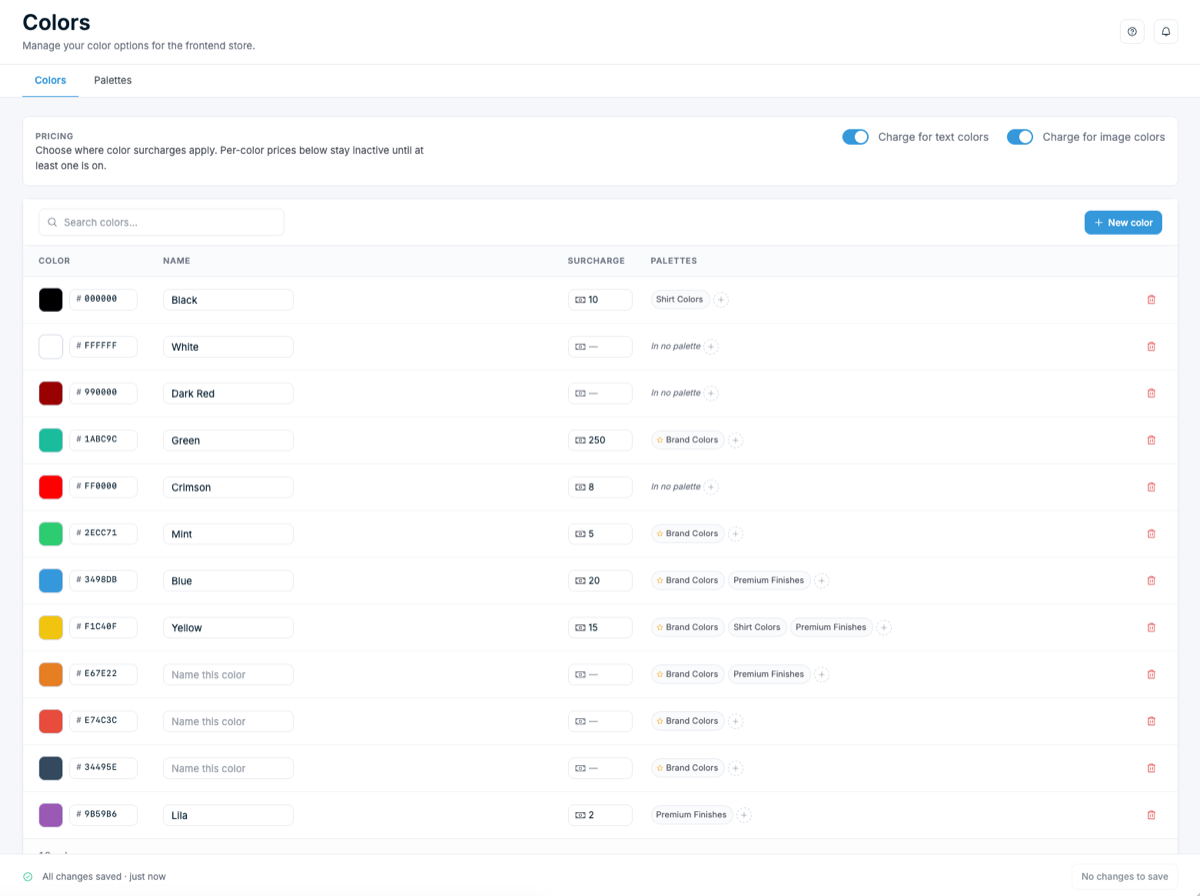
The hub also keeps pricing tidy. Each color carries an optional surcharge, and you decide whether surcharges apply to text colors, image colors, or both. So a premium metallic finish can cost more than a standard color, and that rule lives in one predictable place rather than scattered across products. For stores that sell across many product types, this is a far easier way to manage the different color palettes you offer. It pairs naturally with our visual product customizer, where those palettes show up for shoppers.
A dedicated translations page for your customizer
If you sell to customers in more than one language, this one is for you. We moved the labels for the frontend customizer out of scattered settings and into a dedicated translations page, where you can manage them quickly and efficiently in one place.
The page is organized the way you would actually work. Labels are grouped into clear sections such as Toolbar, Actions, Modules, and pricing, each showing the original English source next to your translation. A progress indicator tells you how complete a language is, and an "untranslated only" filter lets you jump straight to the strings that still need attention. No more digging through menus to find one stray label.
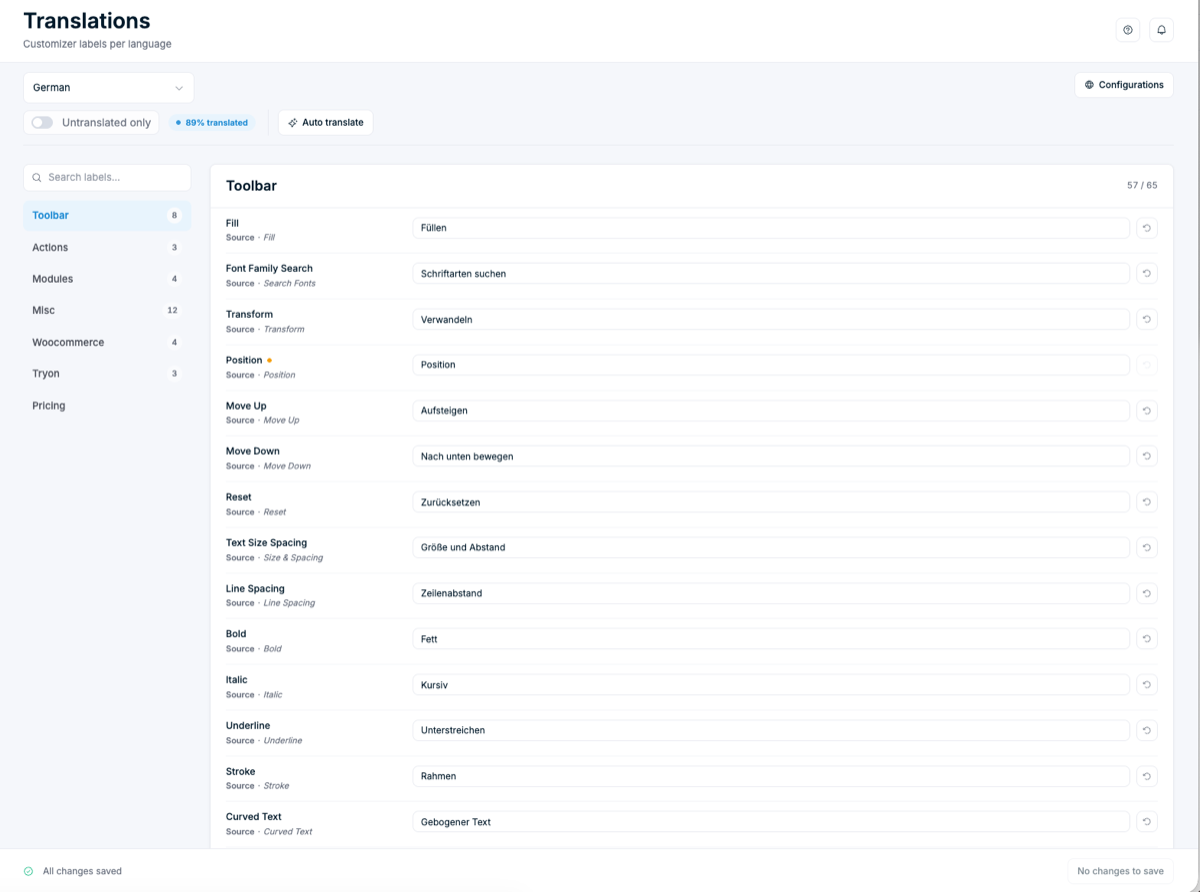
Getting your customizer into a customer's own language matters more than it might seem. Roughly 76% of online shoppers prefer to buy products with information in their own language, according to CSA Research. When the customizer speaks your shopper's language, the whole experience feels native, and that confidence shows up at checkout.
Automatic translations with your Google API key
Translating every label by hand is exactly the kind of slow, repetitive task we want to take off your plate. So we added the option to connect a Google Cloud Translation API key directly in the admin. Once it is connected, you can automatically translate your entire customizer into any language in just a few clicks.
The workflow is simple. Pick a language, run auto translate, and Chamevo fills in every label for you. From there you stay in full control: review the results, then refine any wording that needs a more natural or on-brand phrasing. You get the speed of machine translation with the polish of a human pass, instead of choosing between the two. Adding a new market becomes a quick task rather than a project.
Because most of your shoppers browse on a phone, a fully translated, mobile-friendly customizer is one of the simplest ways to widen your reach without widening your workload.
Built for your everyday workflow
The redesign is not only about looks. It is about the dozens of small moments that make up a working day. A few screens show that clearly.
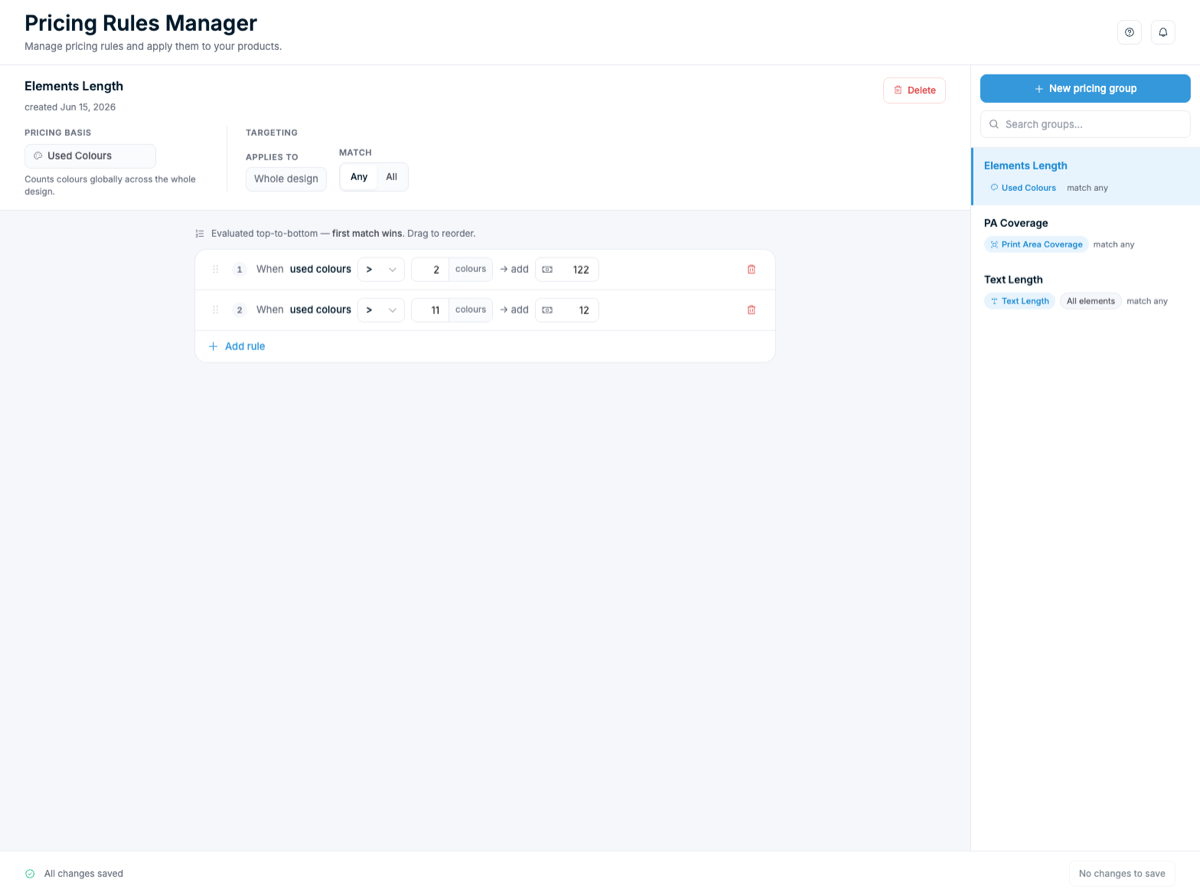
The Pricing Rules Manager turns pricing logic into something you can read at a glance. You build rules visually, set the pricing basis, and reorder conditions with a simple top-to-bottom, first-match-wins flow. Complex pricing finally looks as straightforward as it should.
Print Profiles got the same clarity. A master baseline now sits at the top, and every profile inherits from it, so a single change can update everything that has not been overridden. It is a cleaner way to keep your production setup consistent across a growing catalog.
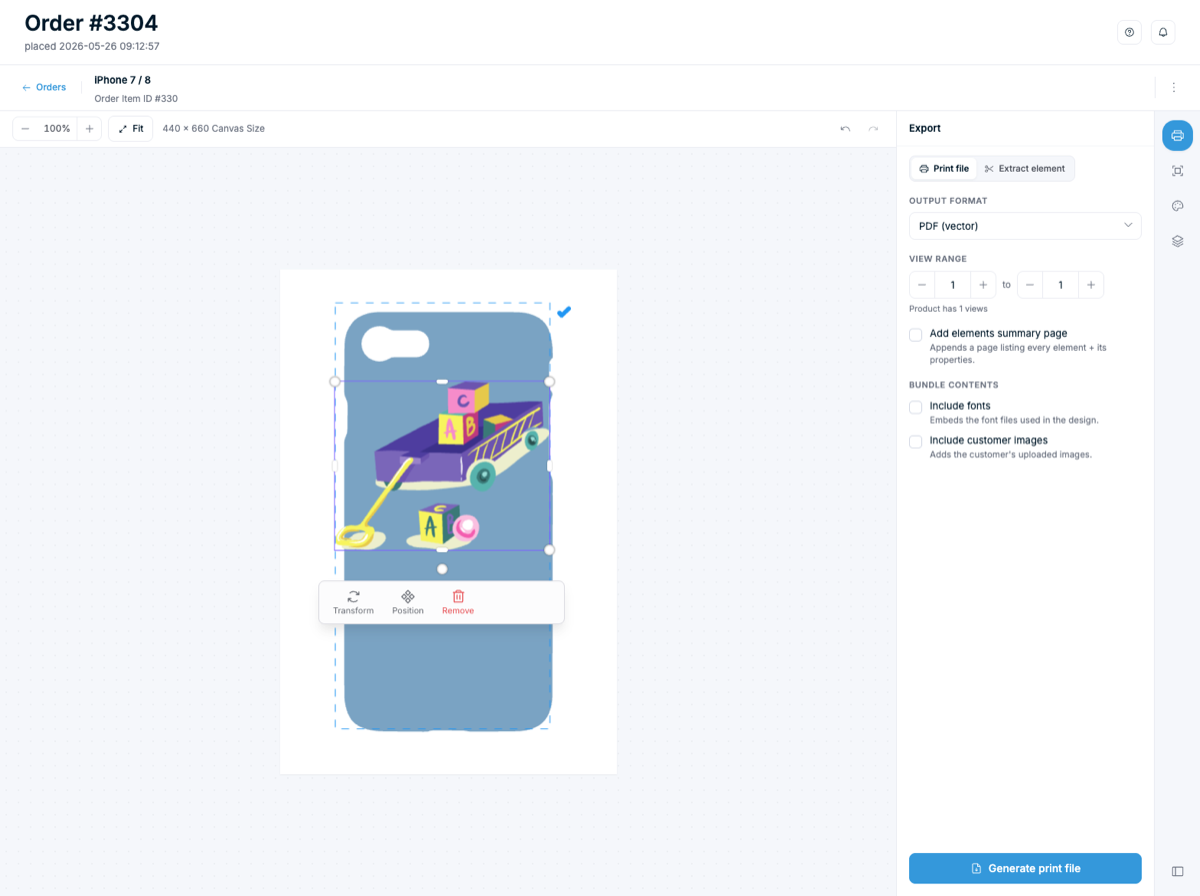
And when an order comes in, the order viewer brings the design and the export together on one screen. You preview the customer's artwork, choose your output format, and generate a print-ready file, with options to include fonts or the customer's uploaded images. The personalized design a shopper perfects becomes the exact production file your printer needs, with no manual cleanup in between.
All of this builds on the same foundation that powers our WooCommerce 3D product customizer and the rest of the platform. The redesign simply makes that power easier to reach.
Frequently asked questions
Do I need to migrate my data for the new admin interface?
No. The redesigned admin runs on your existing Chamevo data. Your products, print profiles, pricing rules, and settings all carry over, so there is nothing to migrate and nothing to rebuild.
Where do I set up product colors now?
Colors now live in a central color management hub instead of being defined per element inside the Product Builder. You create named colors, set optional surcharges, and group them into reusable palettes that you can apply across all your products.
Which languages can I translate my customizer into?
You can translate your frontend customizer labels into any language from the new translations page. You can edit every label by hand, or connect a Google API key to auto-translate them all at once and then refine the wording.
Do I need a Google API key to use translations?
No. The translations page works without one, so you can manage labels manually. The Google API key is optional and only enables automatic translation, which fills in every label for you in a few clicks.
Does the redesign change the frontend customizer my shoppers use?
This update focuses on the admin interface you work in. The frontend customizer your shoppers use was refreshed in a separate release a few weeks earlier, so both sides of Chamevo now share the modern look.
Try the redesigned admin for yourself
The redesigned Chamevo admin interface is built around one idea: your everyday work should feel effortless. A cleaner look across every screen, color management gathered into one central hub, and a dedicated translations page with one-click automatic translation all add up to less busywork and more time spent growing your store. And since it runs on your existing data, there is nothing standing between you and the upgrade.
The best way to understand the difference is to use it. If you run a WordPress store, add Chamevo with our WooCommerce product customizer and explore the new admin firsthand, or start a 14-day free trial to take the whole platform for a spin. Chamevo is also available on Shopify. New to the platform and curious where these tools fit? Our guide to WooCommerce product customizer plugins is a good place to start. Then watch the short walkthrough and see the redesigned admin interface in action.