WooCommerce 3D product customizer: 2026 setup guide
A practical 2026 guide to adding a WooCommerce 3D product customizer: why 3D previews convert, which products benefit, how to set one up, and why to pair 3D with print-ready exports.
 Rafael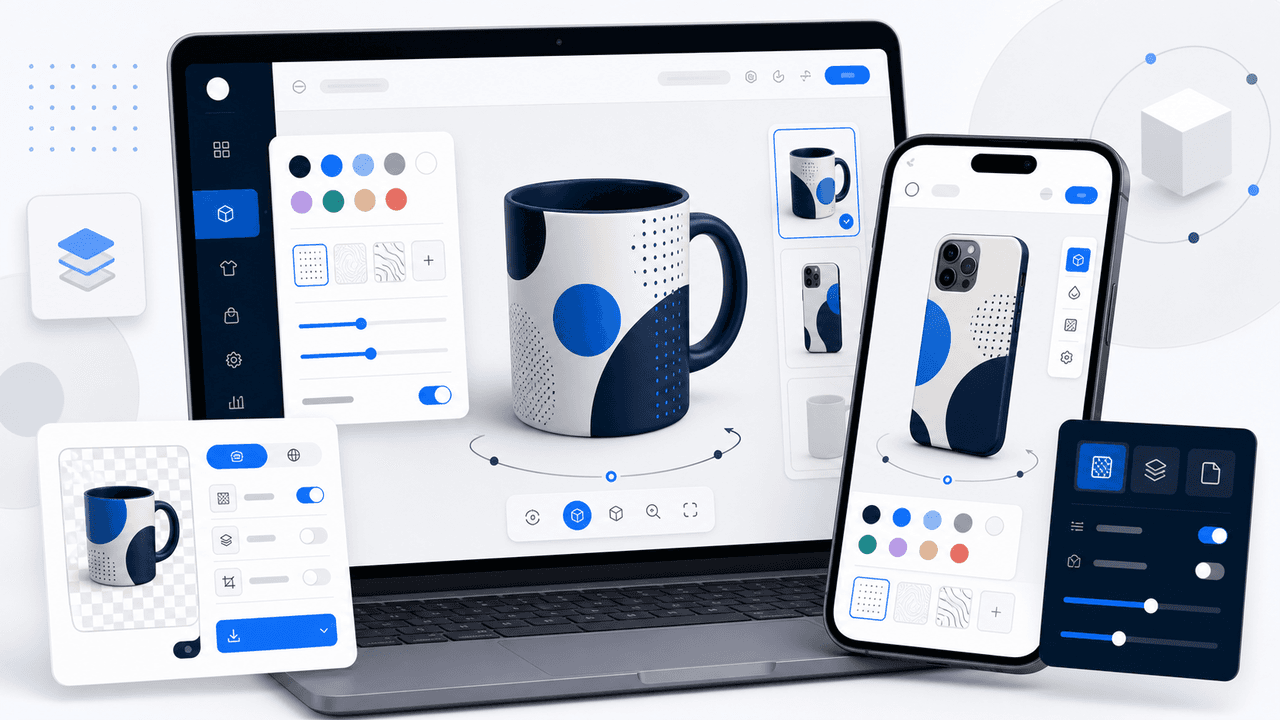
WooCommerce 3D product customizer: 2026 setup guide
Your customers are shopping on their phones, and they can't pick your product up. They can't turn the mug around, check how a logo wraps across a tumbler, or see their photo on a phone case from the side. That gap between what a flat mockup shows and what arrives in the box is where sales quietly leak away. A WooCommerce 3D product customizer closes it, by letting shoppers spin, zoom, and personalize a real-time model before they buy.
Here is the part most plugin roundups skip: adding 3D is no longer a developer project or a CAD exercise. The tools are fast, mobile-first, and built for store owners rather than 3D artists. This guide walks through what a 3D product customizer for WooCommerce actually does, whether it moves the numbers, which products are worth the effort, and how to set one up, plus the one feature that separates a pretty preview from a customizer that keeps your print production clean.
TL;DR
- A WooCommerce 3D product customizer lets shoppers rotate, zoom, and personalize an interactive 3D model on your product page, then generates the print-ready file you fulfil.
- 3D content converts. Shopify reports merchants who add 3D see a 94% average conversion lift, and Chamevo merchants using 3D visualization report conversion increases of up to 30%.
- The AR-in-e-commerce market is projected to grow from $5.88 billion in 2024 to $38.5 billion by 2030 (35.8% CAGR). Source: Grand View Research.
- The real edge on WooCommerce is pairing 3D previews with print-ready exports, so the model a customer perfects becomes the exact CMYK file your printer receives. No CAD needed, most merchants set up in under an hour.
What is a WooCommerce 3D product customizer?
A WooCommerce 3D product customizer is a plugin that replaces the flat product image with an interactive 3D model. Shoppers rotate it, zoom in, and add their own text, images, or color choices, watching the changes render live on the model. When they order, the customizer turns that final design into a production-ready print file. No inventory, no guesswork, no "what will it actually look like?" support tickets.
That last part is what sets it apart from a simple 3D viewer. A viewer just shows a model. A visual product customizer lets the customer change the product and then hands you a file you can print. On WooCommerce specifically, that means no per-order transaction fees, no hard variant cap, and full ownership of your store data, which matters once you scale.
The momentum behind 3D commerce is not hype. The augmented reality e-commerce market is projected to grow from $5.88 billion in 2024 to $38.5 billion by 2030, a 35.8% compound annual growth rate, according to Grand View Research. Shoppers increasingly expect to interact with products before they buy, and the stores that meet that expectation are pulling ahead.
Does 3D product visualization actually increase sales?
Short answer: yes, and the effect is bigger than most merchants expect. When shoppers can examine a product from every angle, hesitation drops and confidence rises. That confidence is exactly what you need, because the average online shopping cart abandonment rate sits at 70.22%, based on 50 studies compiled by the Baymard Institute. Anything that reduces doubt at the preview stage pays off at checkout.
The numbers back it up. Shopify reports that merchants who add 3D content to their stores see a 94% average conversion lift, per its 3D e-commerce research. Vendor data from Threekit points the same direction: shoppers who use a 3D product tool show 64% higher purchase intent, and 3D and 360-degree media can cut returns by up to 40% (Threekit and Snap36). Chamevo merchants using 3D product visualization report conversion increases of up to 30%. The exact figure depends on your products and audience, but every credible source points up.
It helps to picture the difference in experience. A flat mockup asks the customer to imagine the result. An interactive 3D preview shows it. Compare the two side by side:
| Flat 2D mockup | Interactive 3D preview |
|---|---|
| One fixed angle, often the front only | Rotate, zoom, and inspect from every side |
| Customer guesses how a wrap or edge looks | Customer sees exactly how the design sits on the product |
| Personalization feels abstract | Text, color, and image changes render live |
| Higher "is this what I'll get?" uncertainty | Confidence that reduces returns and support tickets |
The downstream effects compound. Confident buyers add more to the cart, which lifts average order value, and they file far fewer "what will it actually look like?" support tickets after they order. Every question a 3D preview answers on the product page is one your team doesn't field by email a week later, often after the item has already shipped.
Which WooCommerce products benefit most from 3D customization
Not every product needs 3D. A flat sticker or a single-sided card is fine as a 2D mockup. The 3D product customizer earns its keep when a product has volume, depth, or wraps that a flat image can't show honestly. If a customer would naturally want to turn it over in their hands, that's your signal.

These categories convert noticeably better with an interactive 3D preview:
- Drinkware: mugs, tumblers, and bottles where the design wraps around a curved surface. Shoppers want to see the seam, the handle, and how a name sits on the curve. For drinkware, the curve is the whole story, and a flat photo can't tell it.
- Phone cases: the camera cutout, the edges, and how artwork bleeds around the corners only make sense in 3D. A buyer needs to see the wrap before they trust it.
- Apparel: t-shirts, hoodies, and caps benefit from seeing print placement and scale on a garment shape rather than a flat rectangle.
- Signs and engraved gifts: depth, material, and lighting matter. A 3D preview communicates a slate coaster or a layered sign far better than a photo.
- Packaging and boxes: anything that folds or has multiple printed faces is almost impossible to judge in 2D.
If your catalog leans toward these, 3D is not a nice-to-have. It is the difference between a shopper who trusts the preview and one who abandons the cart to "think about it." A useful rule of thumb: the higher the price and the more personal the product, the more a 3D preview earns its place. A $40 engraved gift justifies the setup far more than a $6 sticker.
How to add a 3D product customizer to WooCommerce, step by step
Adding a 3D product customizer to WooCommerce is more straightforward than it sounds. The path most merchants follow to go live looks like this.
- Start with a working WooCommerce store. You need WordPress, the WooCommerce plugin, and a clean theme. If you build product pages with a page builder, our Elementor and Chamevo guide shows how the customizer drops in without a developer.
- Choose a customizer with native 3D. Not every plugin does true 3D, and fewer still pair it with print output. Compare your options in our roundup of WooCommerce product customizer plugins, and prioritize one that handles both the preview and the production file.
- Install the plugin and add your 3D model. Upload a model for the product, or use a ready template. No CAD software required. Most merchants set up their first 3D product in under an hour.
- Map the customization areas. Define where customers can add text, images, or color, and which surfaces are editable. This is what makes the preview interactive rather than just a spinning model.
- Set up print areas and pricing rules. Configure bleed, safe zones, and any pricing that depends on size, material, or options. You define this once and reuse it across the catalog.
- Test on mobile, then publish. Since 70 to 80% of customization traffic is mobile, rotate and zoom on a phone before you go live. Confirm the experience feels smooth, then ship it.
One question always comes up at step three: where do the 3D models come from? You have three practical options. Use a ready-made template for common shapes like mugs, bottles, or t-shirts; upload a model your supplier or manufacturer provides; or commission one model once and reuse it across every color and variant. None of these require you to open 3D software yourself.
That's the whole flow. The heavy lifting is in step two, choosing the right tool, because the wrong one forces you to bolt on a separate solution for print files later.
Why 3D previews and print-ready exports belong together
Here is the feature that separates a demo from a real production workflow, and the one most 3D-only configurators ignore entirely. A 3D preview wins the sale. A print-ready export keeps you from losing money after it.
Think about what happens after checkout. The customer perfected a design in 3D, but your printer needs a file in CMYK, at the right resolution, with correct bleed and safety zones. If your 3D tool only produces a screen preview, someone on your team rebuilds that file by hand, every order, often late at night. A real customizer generates the print-ready file automatically: PDF, PNG, or SVG with the color profile and bleed your production needs.
This is Chamevo's core position. Plenty of plugins do 3D. A few do print-ready exports. The merchants who scale without drowning in manual file prep run both from one customizer, so the model a customer rotates becomes the exact file the printer receives. Once you fulfil through a partner, that same file flows straight to production. Our WooCommerce customizer for Printful guide covers that handoff.
That combination is the uncontested gap on WooCommerce. Standalone 3D configurators show the product beautifully but leave you stuck at the file stage. Pairing 3D with print automation is how a small team handles a seasonal surge without hiring temps to fix artwork.
3D customizer setup myths, cleared up
Three worries stop merchants from adding 3D, and all three are outdated. Let's clear them up.
"I need CAD skills or a 3D designer." You don't. Modern customizers ship with templates and a simple upload flow built for store owners, not 3D artists. Mapping the editable areas takes minutes, and most merchants launch their first 3D product in under an hour.
"3D will slow my store and hurt mobile." A customizer built mobile-first loads the model on demand and is optimized for touch, so rotation and zoom feel natural on a phone. Performance depends on the tool, which is why testing on mobile in step six matters. Done right, 3D adds confidence without dragging your page speed down.
"It's only for big enterprise brands." The opposite is true. Standalone enterprise 3D tools are expensive and often separate the preview from the print file. An accessible 3D product customizer for WooCommerce, priced for independent merchants and free of transaction fees, puts the same conversion edge in reach of a one-person shop. For the broader conversion playbook, see how to sell customizable products in 2026. (Chamevo is also available on Shopify if that's where your store lives.)
Frequently asked questions
Do I need CAD or 3D modeling skills to add a 3D customizer to WooCommerce?
No. A modern WooCommerce 3D product customizer uses ready templates and a simple upload-and-map flow built for store owners, not designers. There's no CAD software involved, and most merchants set up their first 3D product in under an hour.
Does 3D product visualization actually increase sales?
Yes. Shopify reports a 94% average conversion lift for merchants who add 3D content, and Chamevo merchants using 3D visualization report up to 30% higher conversion. Interactive previews reduce uncertainty, which is the main driver of the 70.22% average cart abandonment rate.
Which WooCommerce products work best with 3D customization?
Products with depth or wrap-around print benefit most: drinkware, phone cases, apparel, signs, engraved gifts, and packaging. Flat single-sided items like stickers or cards usually work fine as a standard 2D mockup.
Will 3D previews slow down my WooCommerce store or hurt mobile performance?
Not with a mobile-first customizer. The 3D model loads on demand and the viewer is optimized for touch, so rotation and zoom stay smooth on phones. Since 70 to 80% of traffic is mobile, always test on a phone before publishing.
Can customers get print-ready files from a 3D product customizer?
With the right tool, yes. Chamevo generates the production-ready file from the customer's final 3D design automatically, as a PDF, PNG, or SVG with CMYK color, correct resolution, and configurable bleed. A 3D-only viewer does not do this, which is the key thing to check.
How much does a WooCommerce 3D product customizer cost?
Chamevo plans start at $29 per month, with 3D visualization included from the Growth plan up, and no per-order transaction fees. The 14-day free trial needs no credit card, so you can test 3D on your own products before committing.
Add a 3D product customizer to your WooCommerce store
A WooCommerce 3D product customizer turns a flat product page into an experience shoppers trust. They rotate the model, personalize it live, and buy with confidence, which is exactly why 3D content drives a 94% average conversion lift and reduces the returns that eat your margin. The setup is no longer a developer project: choose a 3D-capable customizer, add your model, map the editable areas, test on mobile, and publish.
The lasting edge on WooCommerce is the combination. A beautiful 3D preview wins the sale, and a print-ready export protects the profit by handing your printer the exact CMYK file, automatically. Run both from one customizer and you get the conversion lift without the late-night file fixing. That is the gap standalone 3D tools leave wide open.
Ready to add 3D to your store? Add Chamevo to WooCommerce and start a 14-day free trial, no credit card required. Give your customers a 3D preview that converts, and give your production team print-ready files that just work.