Custom drinkware customizer for WooCommerce (2026)
A custom drinkware customizer lets customers personalize mugs and tumblers with live 3D previews, then exports print-ready sublimation wrap files automatically. Here is how to set one up on WooCommerce.
 Rafael
Custom drinkware customizer for WooCommerce: 2026 guide
Personalized mugs and tumblers are some of the easiest custom products to sell and some of the hardest to sell well. The design has to wrap around a curved surface, the preview has to convince a gift buyer on a phone screen, and the file that reaches your sublimation press has to be pixel-perfect. A good custom drinkware customizer handles all three. Most tools handle one.
Here is the gap this guide closes. Plenty of plugins let a customer slap text on a flat mug mockup. Far fewer show that mug in 3D so the buyer can spin it and check the design across the wrap. And almost none output a print-ready wrap file with correct bleed and resolution, which is the part that decides whether your press run works. This guide walks through setting up a custom drinkware customizer on WooCommerce that does all three: converts browsers into buyers, survives contact with your printer, and scales past your first hundred orders.
TL;DR
- A custom drinkware customizer lets customers personalize mugs, tumblers, and bottles on your product page, with a live preview and an automatic print-ready wrap file for production.
- The market is worth entering: mugs alone are projected to grow from $28.09 billion (2024) to $58.05 billion by 2032, and interested buyers will pay a 20% premium for personalization.
- The three capabilities that separate winners: 3D preview, mobile-first design, and print-ready sublimation wrap files with bleed and handle clearance built in.
- On WooCommerce, you can set all of this up in an afternoon with Chamevo's WooCommerce product customizer, with no CAD skills and no transaction fees.
What is a custom drinkware customizer?
A custom drinkware customizer is a tool that lets customers personalize mugs, tumblers, and bottles directly on your e-commerce product page. Customers add names, photos, or graphics, pick product colors, and watch a live preview update as they design. When they order, the customizer generates a print-ready wrap file your production workflow can use without manual rework.
That last sentence is where drinkware differs from flat products. A t-shirt print is a rectangle on a flat surface. A mug print is a wrap: a wide, short canvas that curves around a cylinder and stops short of the handle. The preview your customer sees is a projection of that wrap onto a curved product, and the file your printer needs is the flattened wrap itself, at full resolution, with bleed on every edge.
A drinkware-ready visual product customizer manages both views at once. The customer designs on the product. The system quietly maintains the production canvas underneath. If your current tool only exports the pretty preview image, you do not have a drinkware customizer. You have a mockup generator, and someone on your team is rebuilding every order by hand.
Why sell personalized drinkware in 2026?
Drinkware is a rare category where the blanks are cheap, the shipping is simple, and the personalization premium is proven. A plain 11oz mug costs a couple of dollars. Add a pet portrait or an anniversary date and it sells as a gift at many times the blank cost.
The demand numbers back this up. The global mug market was valued at $28.09 billion in 2024 and is expected to reach $58.05 billion by 2032, a 9.50% compound annual growth rate, according to Data Bridge Market Research. The wider drinkware market shows the same direction: $36.6 billion in 2025, heading to $64.4 billion by 2035, per Global Market Insights. And the gifting engine behind much of that demand keeps growing too: the personalized gifts market is projected to climb from $30.79 billion in 2025 to $45.09 billion by 2030, according to Research and Markets.
Personalization is also where the margin lives. Deloitte's Consumer Review "Made-to-order: The rise of mass personalisation" (2015) found that 1 in 5 consumers who expressed interest in personalized products were willing to pay a 20% premium for them. The study is a decade old now, but the pattern it documented has only strengthened, as the market growth above shows. Buyers do not comparison-shop a mug with their dog's face on it. There is no comparable product.
For a deeper look at which custom products earn the best margins, see our guide to the most profitable customizable products. Drinkware sits near the top for a reason.
What customers expect from a drinkware customizer
Most drinkware purchases are gifts, and gift buyers are nervous buyers. They cannot hold the mug, and they are usually designing it on a phone during a lunch break. Your customizer either builds their confidence or loses the sale.
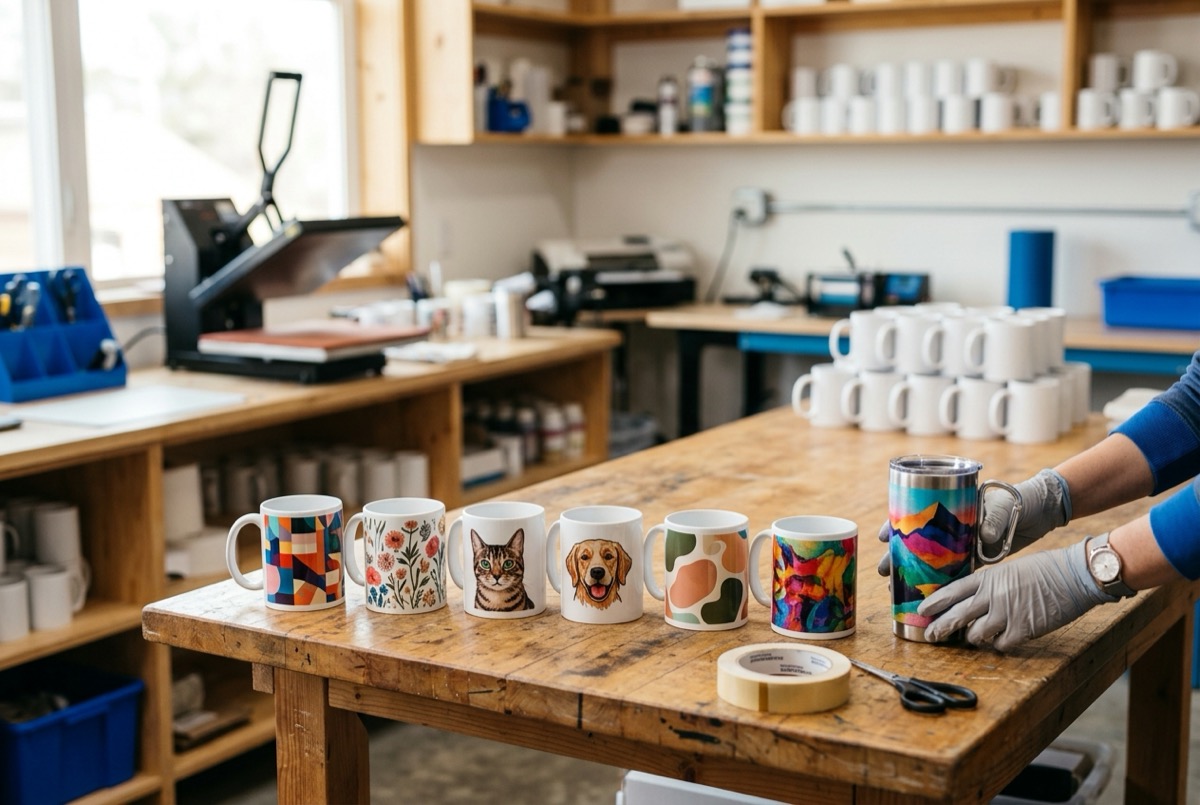
Three capabilities do most of the convincing:
A 3D preview they can spin. A flat mockup shows one side of a cylinder. A 3D visualization lets the buyer rotate the mug, check how the photo wraps, and see the design next to the handle. That confidence shows in the numbers: Shopify reports that merchants using 3D content see an average 94% increase in conversions (a figure Shopify attributes to Charged Retail, 2022), and Chamevo merchants see conversion lifts of up to 30% after enabling 3D previews. Our WooCommerce 3D product customizer guide covers the setup in detail.
A mobile-first design flow. Around 70 to 80% of custom-product traffic comes from mobile. Uploading a photo, positioning it on a wrap, and checking the result must feel natural on a touchscreen, or the buyer gives up before checkout.
Forgiving photo handling. Customers upload low-resolution photos constantly, especially older family pictures destined for gift mugs. A production-aware customizer warns about resolution before purchase and offers AI upscaling to rescue marginal files, instead of letting a blurry print become a refund. Chamevo builds both in: configurable minimum-resolution warnings plus AI upscaling (2 credits) and background removal (5 credits) right in the design flow.
How to add a custom drinkware customizer to WooCommerce
Here is the full setup, start to finish. With Chamevo, most merchants get their first drinkware product live in under an hour, with no CAD skills needed.
- Pick your blanks and print method. Decide what you sell first: 11oz and 15oz ceramic mugs are the classic sublimation entry point, skinny tumblers raise the average order value, and stainless bottles open the engraving market. Your blank supplier's template defines your wrap dimensions, so lock this in before you build.
- Install the customizer. Add the Chamevo WooCommerce product customizer to your store and connect it to your product catalog. It works with your existing WooCommerce products and page builder, including Elementor.
- Create the drinkware product and its print view. Set up the wrap canvas to match your supplier's template, define the customizable area, and add the design tools your buyers need: text with font choices, photo upload, and a curated graphics library.
- Enable the 3D preview. Map your wrap canvas onto a mug or tumbler model so customers see their design on the actual product shape. In Chamevo, 3D visualization is included on Growth plans and up, and there is no 3D modeling software involved.
- Configure the print profile. Set your bleed, safe zone, resolution, and output format once, per product. Every order then exports a production file automatically. This is the step most drinkware stores skip, and it is the one that saves the most time.
- Set pricing rules and publish. Charge for what costs you money: photo prints, second print locations, or premium finishes. Dynamic pricing rules apply the charges automatically as customers design. Then run a test order and check the exported file against your press before going live.
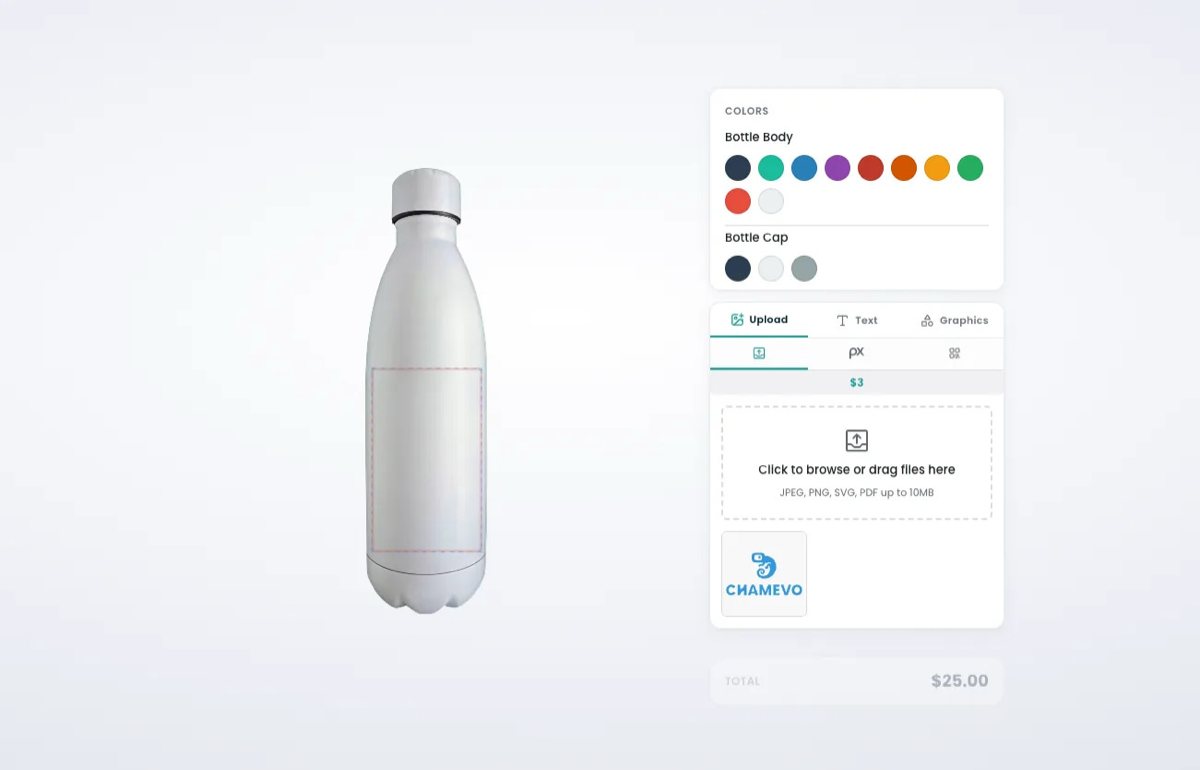
If you are still comparing tools at this stage, our WooCommerce product customizer plugin guide lines up the main options. The short version: check whether the plugin exports production wrap files, because that single capability separates a storefront toy from a business tool. Chamevo also runs on Shopify via the Shopify app if you sell there too.
Print-ready wrap files for mugs and tumblers
Sublimation is unforgiving. The transfer paper wraps the full circumference of the mug, and any gap between the design edge and the trim shows up as a white stripe on the finished product. That is why the exported wrap file, not the preview, is the real product of your customizer.
A production-ready drinkware file gets four things right:
Bleed on all four edges. The design must extend past the trim so slight registration shifts on the press never leave white edges. A safe zone for critical elements. Names, dates, and faces stay inside the inner boundary, away from the trim and the handle seam. Resolution at print size. A photo that looks fine in a phone preview may be far below the 300 DPI a nine-inch wrap needs. The right format. Sublimation workflows typically want full-bleed PNG or PDF; engraving workflows want vector SVG or PDF.
Chamevo handles this through print automation: you define bleed, safe zones, resolution, and format in a print profile once, and every order exports a compliant wrap file in PDF, PNG, JPEG, or SVG. Print profiles are unlimited on every plan, so each drinkware type gets its own exact template. The customer-facing safe-zone guides also stop buyers from parking text on the handle seam in the first place, which prevents the reprint instead of catching it. For the deeper production picture, our print-ready file export guide covers CMYK, DPI, and automation end to end.
The payoff compounds at volume. Merchants who automate their export workflow cut manual work by up to 80%, which is the difference between drinkware being a side product and a scalable line.
Drinkware printing specs by product type
Every drinkware product has its own wrap geometry. These are the common conventions to start from when you build your product templates:
| Product | Typical print area | Common print method | File notes |
|---|---|---|---|
| 11oz ceramic mug | Full wrap ≈ 8.5 x 3.5 in (216 x 89 mm) | Sublimation | Full-bleed PNG or PDF, 300 DPI, handle clearance at wrap ends |
| 15oz ceramic mug | Full wrap ≈ 8.5-9 x 4.3 in (216-228 x 109 mm) | Sublimation | Taller canvas; do not reuse the 11oz template |
| 20oz skinny tumbler | Full wrap ≈ 9.3 x 8.2 in (236 x 208 mm) | Sublimation | Straight and tapered blanks use different templates |
| Stainless bottle | Panel or label area, varies by shape | UV printing or laser engraving | Vector SVG or PDF for engraving; single-color artwork |
Template sizes vary by blank supplier and press. Always confirm exact wrap dimensions, bleed, and clearance with your supplier or RIP (Raster Image Processor) before production.
One template decision per product, made once, then enforced automatically on thousands of orders: that is the entire operational model of a well-configured drinkware store. It also extends beyond drinkware. The same print-profile approach powers merchandise and gift customization across product lines, so adding coasters or ornaments later reuses the system you already built.
If you would rather not print in-house, the same setup works with print-on-demand fulfillment. The customizer still handles design and preview, and your POD partner receives the production file automatically.
FAQ: selling custom drinkware online
How do I add a custom mug designer to my WooCommerce store?
Install a product customizer plugin that supports drinkware, such as Chamevo, create your mug product with a wrap canvas matching your blank's template, enable the design tools and 3D preview, and configure a print profile for automatic file export. Most merchants complete the setup in under an hour.
What file format do sublimation printers need for mugs?
Most sublimation workflows use a full-bleed PNG or PDF at 300 DPI, sized to the blank's wrap template. The design must extend into the bleed area on every edge so registration shifts never leave white lines on the finished mug.
What size is a mug wrap template for 11oz vs 15oz mugs?
An 11oz mug wrap is typically around 8.5 x 3.5 inches, while a 15oz wrap runs around 8.5 to 9 x 4.3 inches. Exact dimensions vary by blank supplier, so always build your product template from your supplier's specification sheet.
Can customers preview a personalized mug in 3D before buying?
Yes. A drinkware customizer with 3D visualization renders the customer's design on a rotatable mug or tumbler model in real time. In Chamevo, 3D previews are included on Growth plans and up, and setup requires no CAD or 3D modeling skills.
Do I need to print the drinkware myself?
No. You can run sublimation in-house for control and margin, or route orders to a print-on-demand partner. Either way, the customizer should deliver the print-ready wrap file automatically, whether that is to your own press queue or to your fulfillment partner.
Can I charge more for personalized drinkware?
Yes. Deloitte's mass-personalisation research found 1 in 5 interested consumers willing to pay a 20% premium for personalized products. Dynamic pricing rules let you charge for specific choices automatically, such as photo prints, premium fonts, or a second print location.
Start selling custom drinkware on WooCommerce
A custom drinkware customizer earns its keep twice: once on the product page, where 3D previews turn nervous gift buyers into confident ones, and again in production, where automated wrap files remove the manual prep that keeps small stores small. The market is growing at nearly 10% a year, buyers pay a premium for personalization, and the technical setup is a one-afternoon project rather than a development effort.
The checklist is short. Pick your blanks and get their wrap templates. Build your mug and tumbler products with proper bleed, safe zones, and handle clearance. Turn on the 3D preview. Configure print profiles so every order exports a production-ready file. Then let the system run.
Add Chamevo's product customizer to your WooCommerce store and set up your first drinkware product today, or start your 14-day free trial. No credit card, no transaction fees, and your sublimation press will finally get files it can use straight away.