Best Zakeke alternatives for Shopify in 2026
We evaluated six Shopify product customizer apps across pricing, features, ease of setup, storefront integration, and merchant reviews. This guide breaks down each option honestly so you can find the right fit for your store and your production workflow.
 Martin Frank
We evaluated six Shopify product customizer apps across pricing, features, ease of setup, storefront integration, and merchant reviews. This guide breaks down each option honestly so you can find the right fit for your store and your production workflow.
Using WooCommerce? What to Check Before Choosing a Zakeke Alternative
Most Zakeke comparisons focus on Shopify, but WooCommerce stores have a different set of priorities. If your product customization workflow runs on WordPress, you should evaluate more than the storefront editor alone.
For WooCommerce merchants, the strongest alternative should give you:
- predictable pricing without transaction fees eating into every custom order
- print-ready exports your production team can use without manual cleanup
- a setup path that works cleanly with WordPress and WooCommerce
- enough flexibility for custom integrations when your workflow does not fit a standard app-store setup
- reliable performance for high-traffic product pages
Chamevo is built for merchants who need a production-ready product customizer for WooCommerce, WordPress, and custom workflows. If you are comparing Zakeke because pricing, transaction fees, or integration fit have become a concern, Chamevo is worth testing before you commit to another closed product customization stack.
Start a free 14-day Chamevo trial and test your WooCommerce customization workflow.
Is Zakeke reliable for Shopify, WooCommerce, and Magento product pages?
Zakeke can be a strong option for teams that want broad product personalization coverage across multiple e-commerce platforms. The practical question is not only whether it connects to Shopify, WooCommerce, or Magento, but whether your setup stays reliable once product pages get real traffic, complex variations, pricing rules, and print production requirements.
For WooCommerce merchants, Chamevo is worth testing when the priority is a product customizer built around WordPress and WooCommerce workflows, live visual customization, print-ready files, and no transaction fees. If page performance, predictable setup, and production handoff matter, compare the workflow before choosing the widest platform checklist.
Explore Chamevo's WooCommerce product customizer or start a free 14-day trial.
Why merchants switch from Zakeke
Before diving into alternatives, it helps to understand the specific pain points that drive Shopify merchants away from Zakeke. These aren’t hypothetical concerns. They come directly from Shopify App Store reviews, G2 feedback, and Shopify Community discussions.
Pricing structure
Zakeke’s most common complaint is its pricing model. Every plan charges both a monthly subscription and a per-order transaction fee ranging from 1.5% to 1.9%. The entry-level Starter plan costs $79.90 per month and limits you to just five published products. The Grow plan jumps to $199.90 per month for 25 products. For merchants processing hundreds of orders, those transaction fees add up fast on top of an already substantial monthly cost.
Support inconsistency
Multiple merchants report multi-day response times, no weekend support, and contradictory answers from different agents. One Shopify reviewer described exchanging over 80 emails trying to resolve a single issue. For merchants whose businesses depend on their customizer working reliably, that’s a serious concern.
Setup complexity
Several merchants describe spending hours troubleshooting without getting a single product working. One Shopify Community member wrote that Zakeke felt “antiquated and buggy, definitely not up to Shopify’s ease of use standard.” For a platform that prides itself on premium positioning, the setup experience doesn’t always match.
Print-on-demand limitations
Zakeke’s Printing Methods feature can’t be used alongside its print-on-demand (POD) integration. Merchants who need both capabilities are forced to choose one or the other, which limits flexibility for stores that handle mixed fulfillment.
Technical issues
Reported bugs include shipping calculation problems caused by duplicate products, preview rendering issues after color changes, and imperial system bugs that affect US-based merchants. Additionally, Zakeke leaves residual code and filters in your Shopify theme after uninstalling.
What to look for in a Zakeke alternative
Not every Shopify product customizer is the right replacement. When evaluating Zakeke alternatives for your Shopify store, focus on these criteria:
- Transparent pricing: Look for a product customizer with no transaction fees. A flat monthly rate lets you predict costs as your order volume grows.
- Easy product setup: You shouldn’t need a developer or six hours of troubleshooting to get your first customizable product live. No-code setup is a must.
- Native Shopify integration: The best product customizers are built specifically for Shopify, not generic tools that deploy the same code across every e-commerce platform. A dedicated Shopify app with an embedded customizer integrates with your theme, respects your store’s design, and works the way your customers expect.
- Print-ready exports: If you run production in-house or work with a local printer, your customizer needs to generate files with correct resolution, bleed zones, and color profiles.
- Responsive support: When something breaks during a product launch or peak season, you need answers quickly.
- Clean migration path: Switching customizers mid-operation is disruptive. An app that makes setup straightforward minimizes downtime.
Zakeke alternatives at a glance
Here’s a quick comparison of the six best Zakeke alternatives for Shopify, based on pricing, ratings, and core strengths:
| App | Shopify Rating | Starting Price | Transaction Fee | Best For |
|---|---|---|---|---|
| Chamevo (FPD) | 4.8/5 (41 reviews) | $30/mo | None | Professional customization, dedicated platform |
| Inkybay | 4.9/5 (296 reviews) | $19.99/mo | None | Print shops, dynamic pricing |
| Customily | 4.8/5 (158 reviews) | $49/mo | Per-item fee | POD personalization, templates |
| Teeinblue | 4.8/5 (325 reviews) | $19/mo | 1.0-1.8% after free orders | Budget POD sellers |
| Kickflip | 4.6/5 (134 reviews) | $59/mo | Yes (per-sale fee) | Multi-component products |
| Zepto | 4.7/5 (1,000+ reviews) | $9.99/mo | None | Simple personalization |
For comparison, Zakeke starts at $79.90 per month for five products, plus 1.9% transaction fees on every customized order. It holds a 4.3/5 rating from 65 Shopify reviews.
1. Chamevo (Fancy Product Designer): best overall Zakeke alternative
Chamevo’s Fancy Product Designer stands out as the strongest overall alternative to Zakeke for one fundamental reason: it’s a dedicated Shopify app, not a generic cross-platform tool.
While Zakeke and most other customizers build one solution and deploy it across Shopify, WooCommerce, BigCommerce, and other platforms, Chamevo builds a purpose-built app for each platform. The Shopify app is designed specifically for Shopify’s ecosystem, which means deeper storefront integration, better theme compatibility, and interactions that feel native to Shopify merchants and their customers.
Key features
- Visual product customizer with real-time previews, image uploads, text customization, and a graphics library
- 3D product visualization for products like mugs, phone cases, and drinkware
- Print-ready exports in PDF, PNG, JPEG, and SVG with custom bleeds and safety zones
- AI tools including background removal, image upscaling, and design generation
- Workflow automation with Dropbox, AWS S3, Google Drive integration, and webhook support
- Dynamic pricing that adjusts based on customization choices
- Seamless storefront integration that loads directly on your product page and respects your theme’s design
Pricing
| Plan | Monthly | Annual | Orders | Products |
|---|---|---|---|---|
| Basic | $30/mo | $299/yr | 40 orders | 10 products |
| Professional | $50/mo | $499/yr | 150 orders | 50 products |
| Premium | $120/mo | $1,199/yr | 1,000 orders | 250 products |
| Unlimited | $290/mo | $2,899/yr | Unlimited | Unlimited |
No transaction fees on any plan. All plans include a 14-day free trial. Annual billing saves 17%.
Chamevo vs. Zakeke: key differences
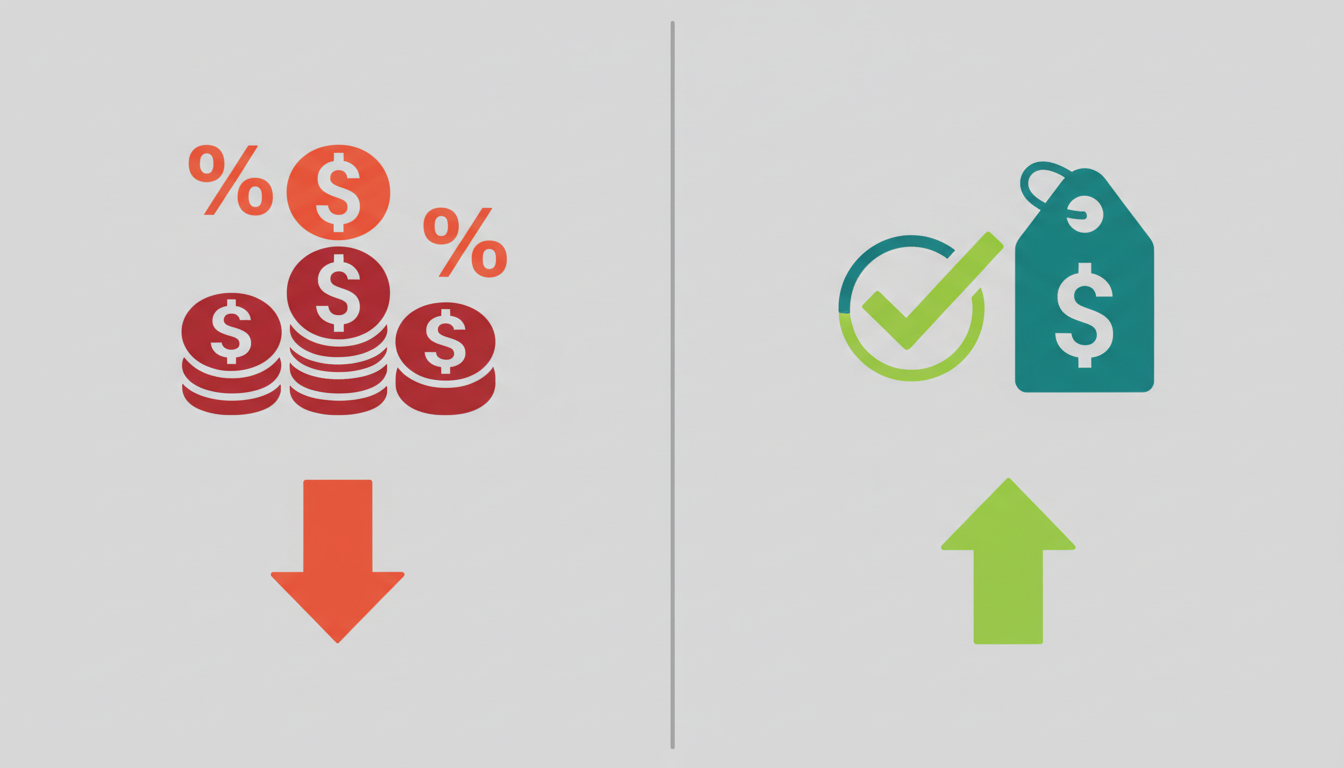
The pricing difference is substantial. Chamevo’s Basic plan at $30 per month includes 10 products with zero transaction fees. Zakeke’s Starter plan costs $79.90 per month for five products, plus 1.9% on every order. For a merchant processing $10,000 in monthly customized product sales, Zakeke’s transaction fees alone add $190 on top of the subscription.
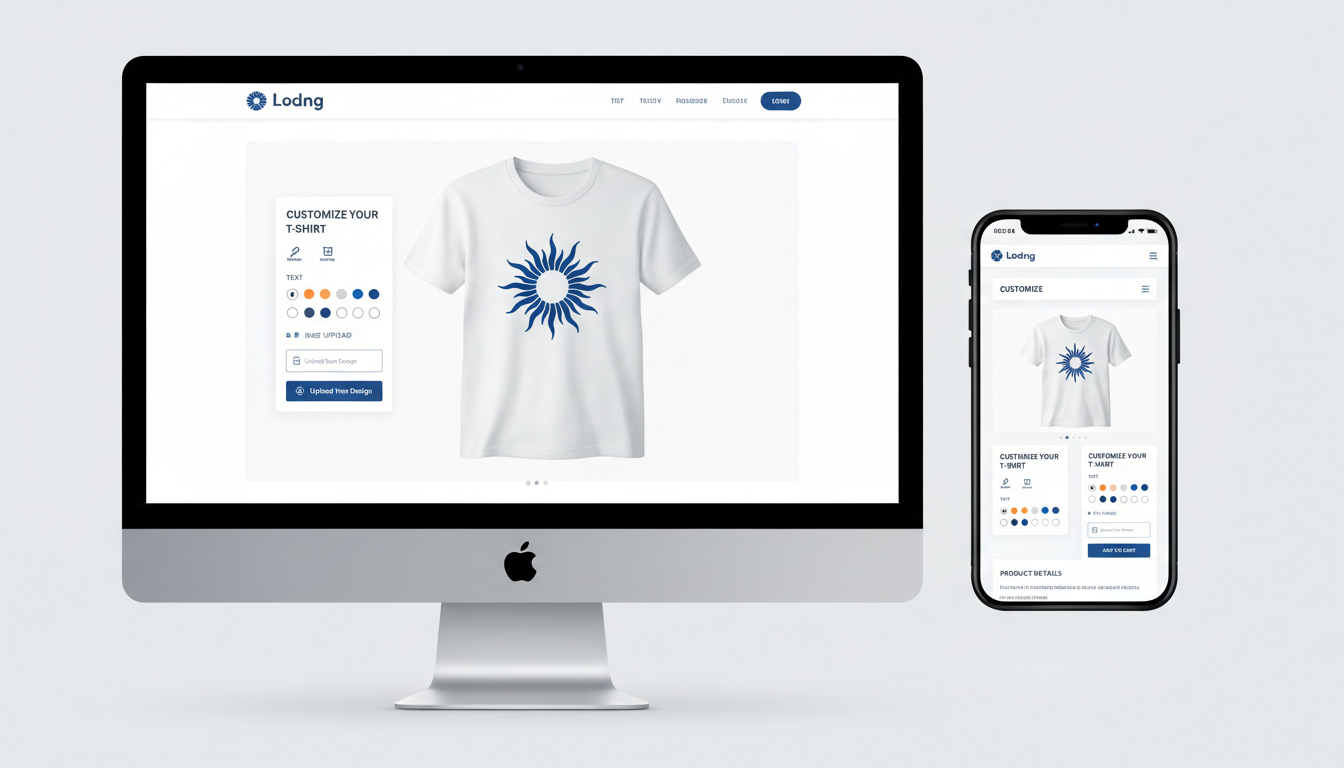
Beyond pricing, the difference is in approach. Chamevo’s dedicated Shopify app integrates directly into your product pages. Customers customize products without leaving your storefront or experiencing a jarring switch to a third-party interface. On mobile, where 70-80% of e-commerce traffic happens, that seamless experience matters for conversion.
Best for
Scaling merchants who need professional-grade customization with print-ready exports, storefront integration, and predictable costs. Particularly strong for apparel businesses, merchandise shops, and any Shopify store that wants a product customizer that feels like part of the store rather than a bolt-on.
2. Inkybay: best for print shops
Inkybay is a veteran in the Shopify product customization space, with the largest review count among dedicated customizers. It was built with print shops in mind, and that focus shows in its feature set.
Key features
- Dynamic pricing engine with rules based on print method, quantity, color count, and materials
- Multiple decoration methods (screen printing, embroidery, DTG, DTF, vinyl, sublimation)
- Quote request system for complex orders
- Print-ready file generation
- Inventory management for blank products
Pricing
Plans start at $19.99 per month with no transaction fees. Higher tiers unlock more features and product limits.
Best for
Established print shops and promotional product sellers who need dynamic pricing based on decoration methods. Inkybay’s pricing rules engine is its standout feature. If your business model depends on quoting based on print colors, quantities, and production methods, Inkybay handles that complexity well.
Trade-offs: The interface feels dated compared to newer apps. Setup is more complex, and the mobile customer experience isn’t as polished. Merchants looking for a modern, mobile-first storefront integration may find the experience lacking.
3. Customily: best for print-on-demand
Customily has built a strong position in the POD (print-on-demand) personalization space. It works particularly well for merchants who use Printful, Printify, or similar fulfillment services and want to offer basic personalization without managing production themselves.
Key features
- Template-based personalization with live previews
- Direct integrations with Printful, Printify, and Gooten
- Canva-like design interface for template creation
- Automatic mockup generation
- Personalization rules and conditional logic
Pricing
Plans start at $49 per month. Customily also charges per-item fees on customized orders, which is worth factoring into your cost calculations as volume grows.
Best for
POD sellers who want quick setup with template-based personalization. Customily excels at the specific workflow of customers choosing from predefined templates and adding personal touches like names, dates, or photos.
Trade-offs: The template-based approach limits design freedom. Customers can personalize within templates but can’t create freeform designs. For merchants who need full visual customization (uploading images, arranging elements, working with layers), template-based solutions feel restrictive. Additionally, the per-item fee adds costs at scale.
4. Teeinblue: best budget option
Teeinblue positions itself as an affordable entry point for Shopify merchants adding product personalization, particularly in the POD space.
Key features
- Product personalization with live previews
- POD integrations (Printful, Printify, Gelato)
- Clipart and text personalization
- Automated mockup generation
- Multi-language support
Pricing
Plans start at $19 per month with a 14-day free trial, making Teeinblue one of the lowest entry points in the market. Each plan includes a set number of free orders (50, 350, or 1,000 depending on tier), after which transaction fees of 1.0-1.8% apply. The cost advantage narrows as order volume increases.
Best for
New merchants or side-hustle entrepreneurs testing product personalization with limited budgets. Teeinblue offers enough features to validate whether customized products work for your audience before investing in more comprehensive solutions.
Trade-offs: The low entry price comes with feature limitations. Advanced capabilities like 3D visualization, production-grade exports with bleed zones, and deep workflow automation are either absent or limited to higher tiers. Merchants who plan to scale should factor in the cost trajectory, not just the starting price.
5. Kickflip: best for multi-component products
Kickflip takes a different approach to product customization by focusing on products with multiple configurable components. Think products where customers choose different parts, materials, or combinations to build their final product.
Key features
- Multi-component product builder with visual previews
- Conditional logic for option dependencies
- Real-time price calculations based on selections
- Image and text customization
- Clean customer-facing interface
Pricing
Plans start at $59 per month with a per-sale fee on customized orders, similar to Zakeke’s pricing model. Kickflip has 4.6 out of 5 stars from 134 Shopify reviews.
Best for
Merchants selling products with interchangeable components or complex option sets where customers need to see how different pieces work together. Examples include customizable jewelry, furniture with multiple configuration options, or products with many material choices.
Trade-offs: The 1.95% transaction fee mirrors one of Zakeke’s most criticized features. For merchants specifically leaving Zakeke because of transaction fees, Kickflip may not solve that particular pain point. The starting price is also higher than most alternatives.
6. Zepto Product Personalizer: best for simple personalization
Zepto focuses on straightforward product personalization. With over 1,000 Shopify reviews and a 4.7/5 rating, it’s one of the most-reviewed apps in the category. Rather than offering a full-featured design studio, it handles the most common personalization use cases: adding names, dates, monograms, and photos to products.
Key features
- Text and image personalization with live preview
- Easy setup for basic personalization fields
- Conditional fields based on customer selections
- File upload support
- Works across desktop and mobile
Pricing
Plans start at $9.99 per month with no transaction fees. A free trial is available, and paid plans scale based on product count and feature access.
Best for
Gift shops, personalized product sellers, and merchants who need simple “add your name” or “upload your photo” functionality without the complexity of a full product customizer. If your personalization needs are straightforward, Zepto handles them efficiently.
Trade-offs: Zepto is a personalization tool, not a full design tool. Customers can’t create freeform designs, work with layers, or build complex layouts. There are no 3D previews, no print-ready exports with bleed zones, and no production workflow automation. It’s the right tool for simple personalization but not for merchants who need deep customization capabilities.
How to migrate from Zakeke to a new Shopify product customizer
Switching product customizers mid-operation feels risky, but with planning, the transition is manageable. Here’s a practical approach:
 h3>1. Audit your current setup
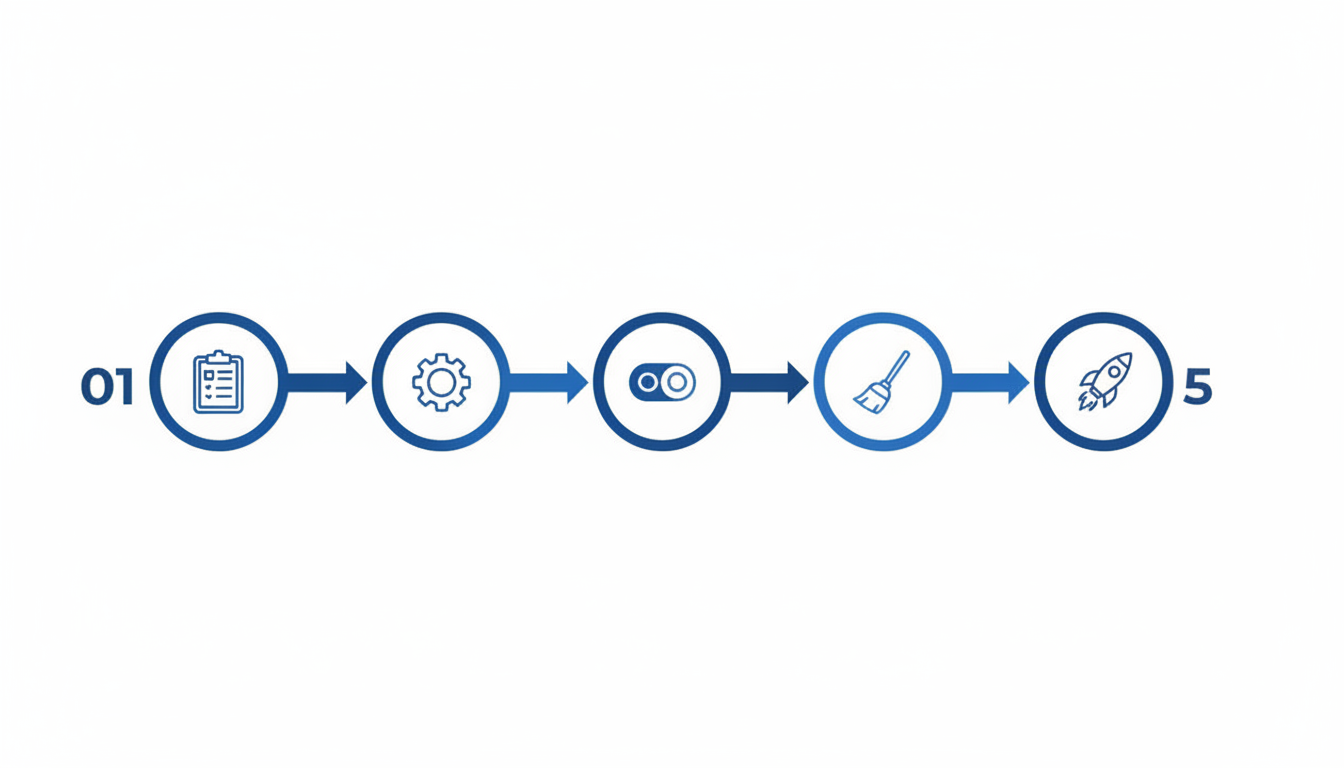
Before installing anything new, document what you have in Zakeke:
- Which products are currently customizable
- What customization options each product offers (text, images, design elements)
- Your export settings and production specs (file format, resolution, bleed zones)
- Any integrations connected to Zakeke (POD services, cloud storage, webhooks)
2. Set up your new app alongside Zakeke
Most Shopify customizer apps can be installed and configured without affecting your live store. Install your chosen alternative, configure your products, and test thoroughly before switching over.
Start with your highest-volume product. Configure it completely, process a test order through your production workflow, and verify the exported files meet your specs.
3. Switch products gradually
You don’t need to migrate everything at once. Move products to your new customizer one at a time, starting with the simplest configurations. This lets you catch any issues early without risking your entire catalog.
4. Clean up after Zakeke
An important note: Zakeke is known to leave residual code, filters, and scripts in your Shopify theme after uninstalling. After removing Zakeke, check your theme code for any leftover fragments and clean them out. If you’re not comfortable editing theme code, contact your new app’s support team or a Shopify expert.
5. Timeline expectations
For most merchants, the full migration takes one to two weeks of part-time work. Simple stores with a few customizable products can transition in a day. Complex stores with dozens of products and intricate configurations should allow more time for testing.
Frequently asked questions
Is Zakeke worth the price in 2026?
Zakeke’s 3D visualization and AR features are genuinely impressive. If those capabilities are essential to your business and budget isn’t a constraint, Zakeke still delivers on that front. However, at $79.90 per month for just five products, plus 1.5-1.9% transaction fees on every customized order, the total cost is significantly higher than alternatives with comparable features. For most Shopify merchants, the value equation has shifted.
Does Zakeke charge transaction fees?
Yes. Every Zakeke plan includes transaction fees ranging from 1.5% (Scale plan at $399.90/mo) to 1.9% (Starter plan at $79.90/mo). These fees apply to every customized product order on top of the monthly subscription. Several alternatives, including Chamevo and Inkybay, charge zero transaction fees.
What is the cheapest Zakeke alternative with good features?
Chamevo’s Basic plan at $30 per month offers professional-grade customization with 3D previews, AI tools, and print-ready exports with no transaction fees, making it a strong Shopify product customizer for merchants who want predictable costs. Inkybay starts at $19.99 per month and is strong for print shops. Zepto starts at $9.99 per month for simple personalization. Teeinblue starts at $19 per month but charges transaction fees after your free order limit.
Can I run two product customizer apps at the same time?
Technically yes, but it’s not recommended. Running two customizer apps can cause conflicts in your Shopify theme, confuse the customer experience, and create order management complications. A better approach is to migrate products gradually to your new app while keeping Zakeke active for remaining products, then fully switch over once migration is complete.
How long does it take to switch from Zakeke?
Most merchants complete the switch in one to two weeks. Simple stores can transition in a day. The biggest time investment is recreating your product configurations in the new app and testing production file exports. If your new app offers onboarding support, take advantage of it.
Choosing the right Zakeke alternative for your Shopify store
The best Zakeke alternative for Shopify depends on what matters most to your business:
- Best overall: Chamevo (Fancy Product Designer): dedicated Shopify app, no transaction fees, professional-grade features, easy setup, and strong storefront integration
- Best for print shops: Inkybay: dynamic pricing, multiple decoration methods, strong print production features
- Best for POD sellers: Customily: tight Printful/Printify integrations, template-based personalization
- Best on a budget: Teeinblue: lowest entry price for basic personalization
- Best for complex products: Kickflip: multi-component product building
- Best for simple personalization: Zepto: straightforward name/photo personalization
If you’re switching because of Zakeke’s pricing model, prioritize a product customizer with no transaction fees. If setup complexity was your pain point, look for apps with intuitive product configuration and responsive support. And if your customizer felt like a clunky add-on to your store, focus on apps that integrate natively with your Shopify theme so customers can design their own products without friction.

Ready to try a different approach? Start a free 14-day trial of Chamevo on Shopify and see how a dedicated product customizer integrates with your store. No transaction fees, no credit card required.