WooCommerce product customizer for Printful (2026 guide)
Printful won't collect your customer's design on WooCommerce. See what its integration handles, what it leaves to you, and how a customizer closes the gap.
 Rafael
Printful's WooCommerce integration is good at exactly one thing: taking an order for a product you designed and getting it produced and shipped. Ask it to take an order for a product your customer designed, and it has nothing to offer. There is no field for the name, no upload button for the photo, and no step that turns either one into a print file. That gap is why merchants go looking for a WooCommerce product customizer for Printful in the first place.
The gap is not an oversight, and it is not a rumor. Printful documents it plainly: on Etsy and Shopify, personalized orders have official support, and on WooCommerce they do not. Personalization has to happen on your store, before the order ever reaches Printful. This guide covers what Printful's WooCommerce integration actually handles, what it leaves on your desk, where the official plugin stands in 2026, and how to close the gap so personalized orders reach production without you touching them.
TL;DR
- Printful's personalization feature is officially supported on Etsy and Shopify only. For WooCommerce, Printful's own documentation says personalization must be set up on your store platform, not in Printful.
- Printful documents two WooCommerce workarounds. Both require you to review, build, or submit orders by hand, and one of them stops tracking from syncing back to your store.
- The official Printful plugin for WooCommerce was last updated in January 2026 and is tested only to WordPress 6.9.8, while WordPress is now on 7.1.1.
- A WooCommerce product customizer for Printful captures the design on the product page and generates the print-ready file automatically, which removes the manual loop entirely.
- Watch the fee model when comparing tools. Some customizers charge per personalized item on top of the subscription. Chamevo charges no transaction fees.
Does Printful support product personalization on WooCommerce?
No, not natively. Printful's Product Personalization feature is officially supported on Etsy and Shopify, where customers personalize an item on the listing and the order flows into Printful for confirmation. On WooCommerce, Wix, and Squarespace, Printful's own documentation is explicit that personalization must be set up on your store platform, not in Printful
. Collecting the customer's design, and turning it into artwork, is your side of the line.
That single sentence decides the whole architecture of a personalized WooCommerce store. It means the customizer is not an optional upgrade to your Printful setup. It is the part of the system that does the job Printful has told you it will not do.
It is worth being precise about what Printful does and does not claim here, because the difference matters when you plan your workflow. Printful is not saying personalized products are impossible on WooCommerce. It is saying Printful will not be the place they are personalized. Everything upstream of the print file belongs to you.
What Printful's WooCommerce integration handles well
None of this is a criticism of Printful as a fulfillment partner. For standard print-on-demand, where you upload the design and customers buy it as-is, the integration is genuinely solid. According to Printful's WooCommerce documentation, you get:
- Catalog sync: hundreds of products you can push straight to your store
- Automatic order import: orders placed in WooCommerce go to Printful for fulfillment without you forwarding them
- White-label shipping: no Printful branding on the packaging or the products
- 2 to 5 day average fulfillment, shipped from global fulfillment centers
- No setup fees: you set the retail price and pay for fulfillment, and the difference is your margin
The catch is that every one of those benefits assumes the artwork already exists. The moment the design is something a customer invents at checkout, the automatic path stops being automatic.
Where the official plugin stands in 2026
There is a second thing worth checking before you build on top of it. The Printful plugin listing on WordPress.org shows version 2.2.12, last updated 14 January 2026, tested up to WordPress 6.9.8. WordPress itself is on 7.1.1 as of September 2026, so the plugin is a full major version behind and has not shipped an update in roughly eight months. It carries 50,000+ active installations and a 2.5 out of 5 rating across 97 reviews.
That is not a reason to abandon Printful. It is a reason to make sure the personalization layer you add sits on its own foundation, stays current with WordPress and WooCommerce releases, and does not inherit someone else's update schedule.
The manual workflow you inherit without a customizer
Printful's help center documents two ways to run personalized orders on WooCommerce, and reading them closely is the fastest way to understand the real cost. In the first, you switch your store to manually confirm imported orders, so personalized orders arrive as drafts you approve one at a time after adjusting the design. In the second, you keep the personalized listings unsynced and submit each order to Printful by hand.
Printful is upfront about the consequence of that second route: order status and tracking will not update on your store automatically, so you have to watch for shipments and paste tracking numbers in yourself. Either way, the shape is the same. Here is what a personalized order actually costs you when the design is collected in a checkout note instead of a customizer.
Five orders a week, this is fine. It is a mildly annoying Tuesday. At 50 orders a day it stops being a workflow and becomes a full-time job, and it is a job where every repetition is a chance to misread a name, drop an accent, export at the wrong resolution, or attach the wrong file to the wrong order. Reprints are expensive twice over, once in blanks and once in the customer relationship.
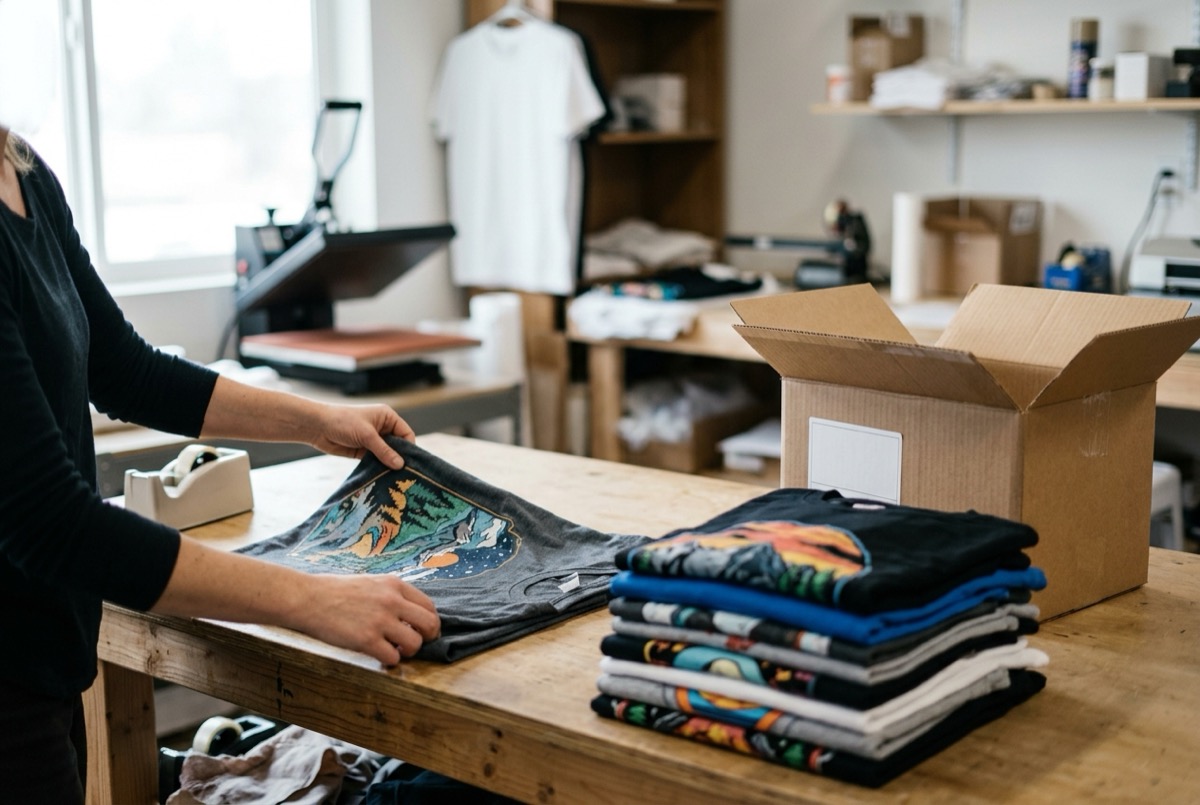
The other cost is quieter and shows up in your conversion rate. When a customer has to describe their design in a text box and hope for the best, they are being asked to buy something they cannot see. Plenty of them will not.
What a WooCommerce product customizer for Printful adds
A customizer closes both gaps at once. On the storefront, the customer builds the design and watches it appear on the product. On the back end, that design becomes a production file with the correct specifications, and the order carries the artwork with it.
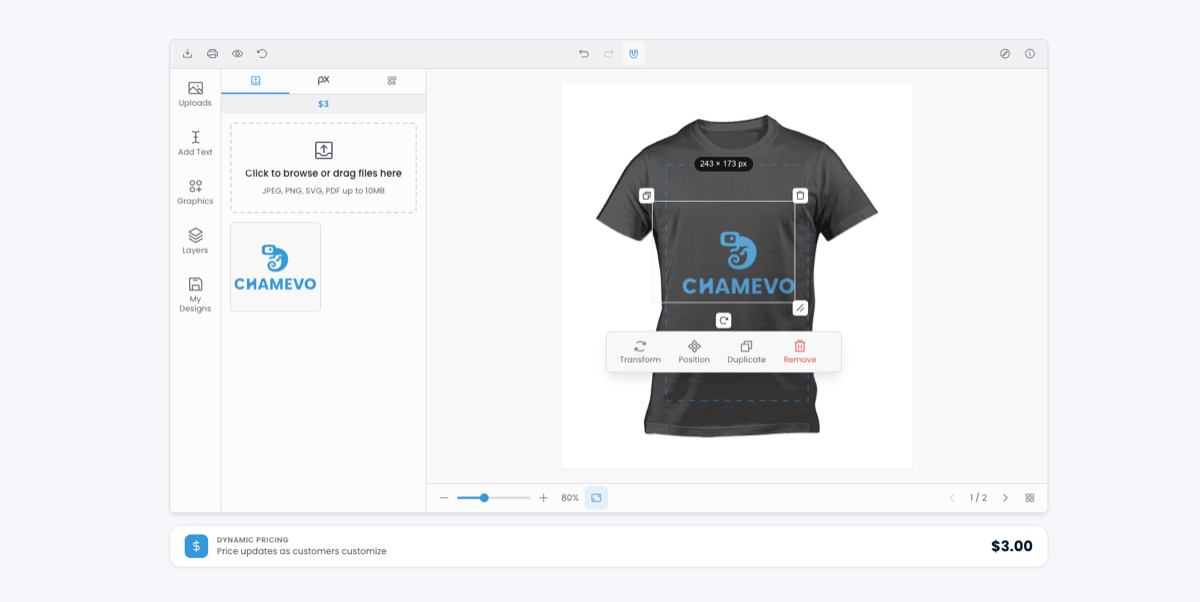
On the customer's side, a visual product customizer gives them text with real font and color control, image upload, a graphics library, and layers, all inside the print area you defined. The preview updates as they work. If the topic is apparel specifically, the print area rules matter as much as the design tools, and our guide to apparel customization goes deeper on that.
Two features do disproportionate work for print-on-demand sellers. 3D visualization lets a buyer rotate the product instead of trusting a flat mockup, and merchants report conversion increases of up to 30% from it. That matters more than it sounds when 70 to 80% of your traffic is on a phone. If you want the setup detail, we covered it in the WooCommerce 3D product customizer guide. The second is resolution handling: AI upscaling can rescue a low-resolution customer photo, and resolution warnings stop the bad ones from reaching production at all.
The print file is the real handoff
Everything the customer does on the product page is only useful if it survives the trip to production. That is the part most customization tools treat as an afterthought, exporting a web-optimized image that looks fine on screen and fails on press.
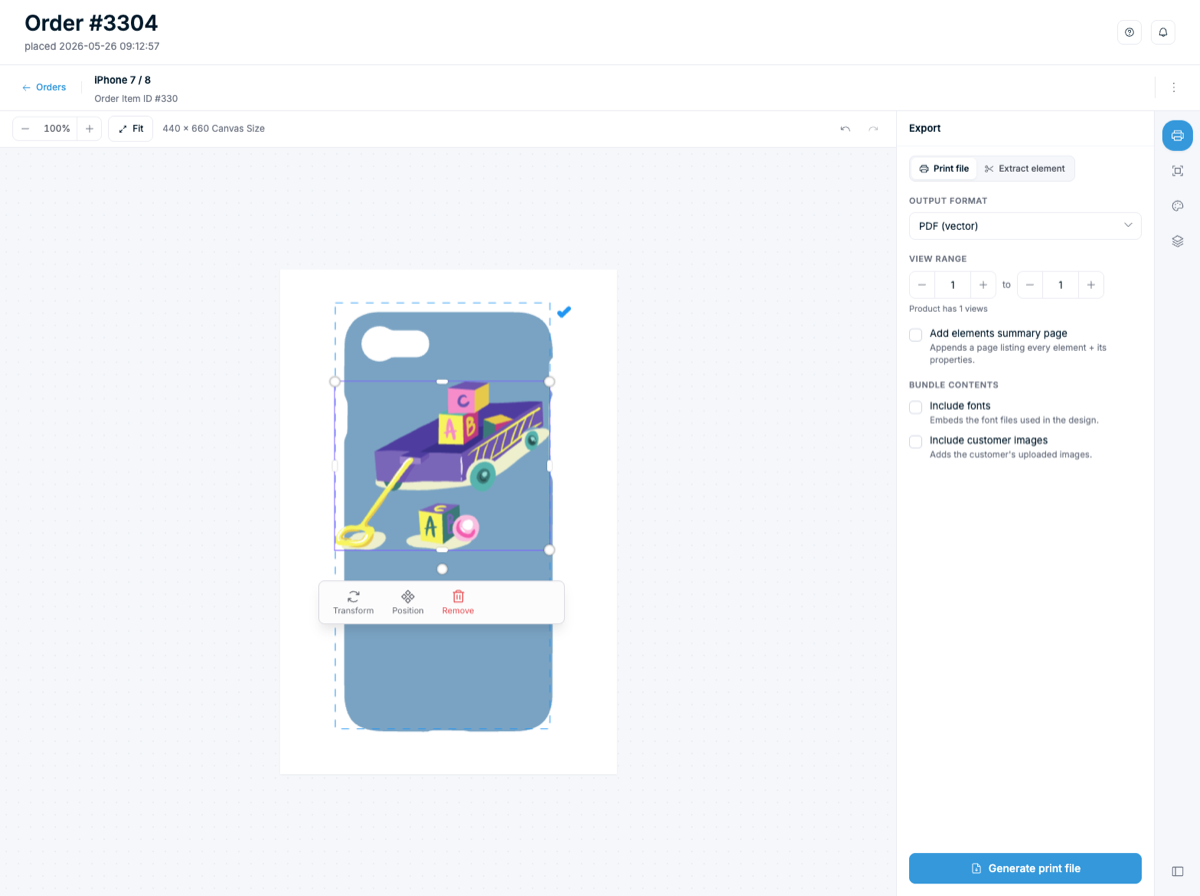
Print-ready means something specific: the right color profile, resolution that holds at actual print size, bleed and safe zones configured per product, and a format your provider can use. Chamevo exports PDF, PNG, JPEG, and SVG with custom bleeds, and print profiles are unlimited on every plan, so each product can carry its own specification. Our print-ready file export guide covers the full anatomy, and the print automation feature page covers how the files get delivered.
Comparing your options: fees, 3D, and print-ready output
Several customizers work with Printful, and they make genuinely different trade-offs. Customily is template-driven and gets merchants selling quickly, which suits stores where personalization means a name on a known layout. Printful's help article even names it as one example of a WooCommerce personalization plugin. Zakeke leads on visualization, including AR. Chamevo is built from the production workflow backward, so the export is the design constraint rather than the last step.
The line most merchants miss is the fee model, because it changes what growth costs you.
| Consideration | Chamevo | Customily | Zakeke |
|---|---|---|---|
| Transaction fees | None | Per unique personalized item | Per transaction |
| Starting subscription | $29/month | $49/month per platform | $69.90/month |
| Print-ready exports | PDF, PNG, JPEG, SVG with custom bleeds | Automatic | Automatic |
| Print profiles | Unlimited on every plan | Template-based | Not listed |
| 3D visualization | Yes, on Growth and above | No | Yes, plus AR |
| Design control | Full layers, text, uploads, graphics | Template fields | Full design interface |
| WooCommerce native | Yes | Yes | Yes |
The fee row deserves a real number. Customily's published pricing is $49 per month per platform plus a per-item fee on every unique personalized item: $1.00 for the first 100 in a month, then $0.50, $0.25, and $0.10 as volume climbs. Identical personalizations across multiple units are counted once. Zakeke's pricing combines a subscription with a percentage fee: $69.90 a month plus 1.9% per custom product sold on Starter, down to 1.5% on the $299.90 Scale plan (September 2026). Pricing moves, so check the vendor pages directly rather than trusting any comparison table, including this one.
Chamevo's plans are $29, $89, and $199 per month with no transaction fees at any tier, so the hundredth personalized order in a month costs the same as the first. Whether that matters depends entirely on your volume and margin. At 40 orders a month it is noise. At 2,000 it is a line item worth modeling before you commit. For a wider view of the WooCommerce field, we keep a comparison of WooCommerce product customizer plugins current.
How to set up a product customizer for Printful on WooCommerce
Setting up a WooCommerce product customizer for Printful follows the same six steps regardless of which tool you pick. Here is the sequence using Chamevo.
- Install the customizer on your WooCommerce store and activate your license.
- Set your export defaults: file format, color profile, and resolution. Getting this right once means every product inherits sane output.
- Connect Printful using an API token from your Printful account, then run the connection test before you go further.
- Import the Printful products you want to personalize and define the customizable areas on each one, front, back, sleeve, or wherever you print.
- Configure the print profile per product: bleed, safe zone, and resolution minimums matched to Printful's specifications for that item. This is the step that decides whether files arrive usable.
- Place a real test order end to end. Design it on the storefront, confirm the print file generates correctly, check it reaches Printful with the artwork attached, and review the mockup before a customer ever sees the product.
Step six is the one people skip and regret. A test order takes ten minutes and catches the configuration mistakes that would otherwise surface as a reprint request.
If you are earlier in the process and still deciding what to sell and how to produce it, our guide to starting a print-on-demand business with AI covers the ground upstream of this one. When you are ready to build, the WooCommerce product customizer is where to start, and every plan includes a 14-day free trial.
Frequently asked questions
Does Printful support product personalization on WooCommerce?
Not natively. Printful's personalization feature has official support on Etsy and Shopify. For WooCommerce, Printful's documentation states that personalization has to be set up on your store platform rather than in Printful, which means a third-party customizer collects the design and produces the artwork.
Why does Printful offer personalization on Shopify but not WooCommerce?
Printful builds native personalization for the platforms it supports officially, currently Etsy and Shopify. Other integrations, including WooCommerce, Wix, and Squarespace, are documented with manual workarounds instead. Printful also notes it has not tested third-party personalization apps, so their support team does not troubleshoot them.
How does a customer's uploaded image become a print file?
The customizer captures the design against the print area you configured, then generates the production file at checkout using that product's print profile: correct color profile, resolution, bleed, and format. The file is attached to the order rather than recreated by hand afterwards.
Is the Printful WooCommerce plugin still maintained?
It is still available and widely installed, with 50,000+ active installations, but as of September 2026 the listing shows version 2.2.12, last updated in January 2026 and tested only to WordPress 6.9.8 while WordPress is on 7.1.1. Its rating sits at 2.5 out of 5 across 97 reviews. Test it against your own WordPress and WooCommerce versions before you rely on it.
What does a product customizer for Printful cost?
Subscriptions typically start between $29 and $49 per month, but the subscription is only half the question. Some tools add a fee per personalized item, which scales with your success. Chamevo starts at $29 per month with no transaction fees, so the cost of a busy month is predictable.
Can I use the same customizer with print providers other than Printful?
Yes. A customizer that generates genuine print-ready files is not tied to one provider, because the output is a standard production file. You can route files to Printful, to another print partner, or to your own in-house press through cloud storage or webhooks.
Getting personalized orders off your desk
Printful handles fulfillment on WooCommerce well, and it tells you clearly that it will not handle personalization for you. Once you accept that division of labor, the decision gets simple: something on your store has to capture the customer's design and turn it into a production file, and the only question is whether that something is a tool or you.
Three things to take away. First, verify the workflow claims yourself, including Printful's plugin status, before you build on any of it. Second, judge a WooCommerce product customizer for Printful on its exports, not its demo, because the print file is where these tools actually differ. Third, model the fee structure at the volume you expect next year, not the volume you have this month.
If you are ready to stop rebuilding customer designs by hand, add the Chamevo product customizer to your WooCommerce store and run a test order through to Printful today. The 14-day free trial is long enough to prove the workflow on your own products, which is the only proof that counts.